
Contact Enrichment
Contact enrichment automatically fills in missing phone numbers, email addresses, and ownership details for your contacts by querying multiple data sources. Goliath combines third-party skip-tracing, county records (tax rolls, deed transfers), and internal data pipelines (MLS feeds, foreclosure filings, code violations) to give you the most complete picture of each contact. Use enrichment whenever you have a contact name and address but need to find current contact methods or verify ownership information.
Step-by-Step Guide
Section titled “Step-by-Step Guide”-
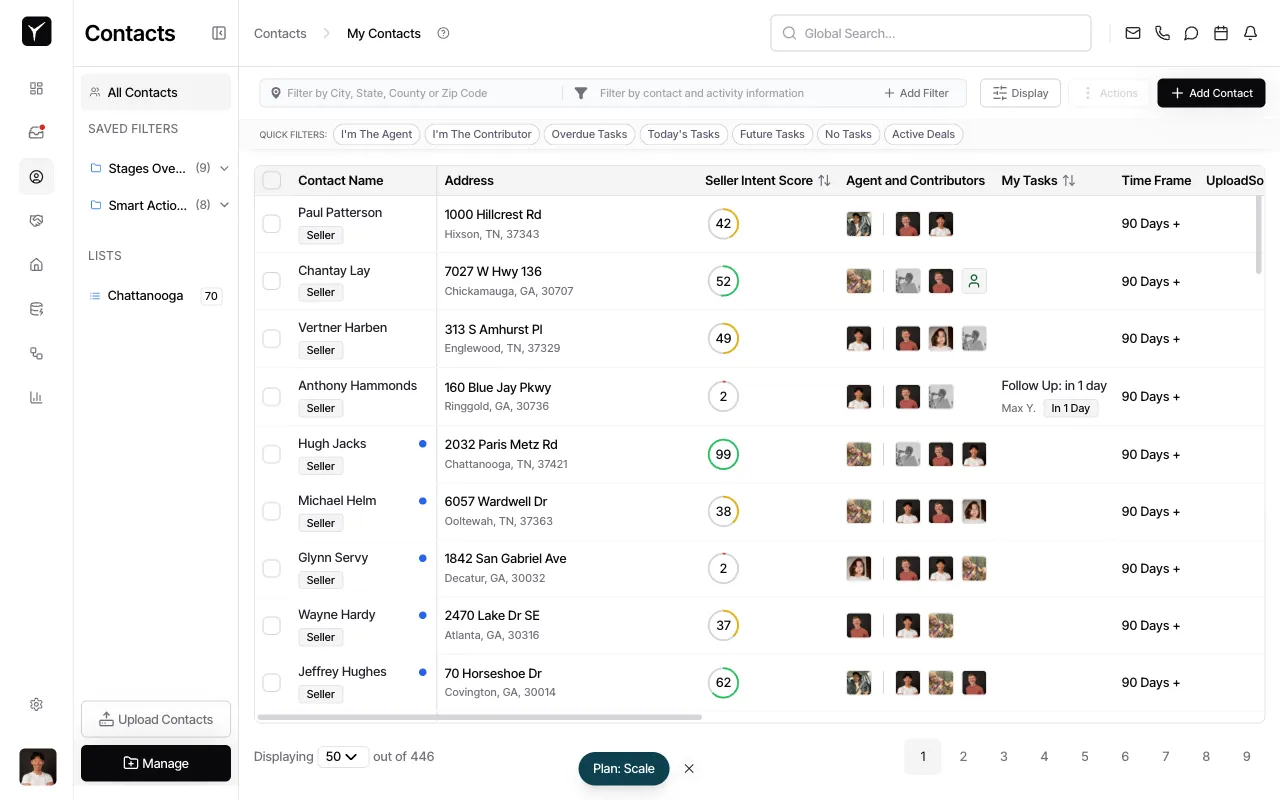
Navigate to the contact you want to enrich
Open the Contacts tab from the left sidebar and select a contact from your list. The contact detail panel will appear on the right.
-
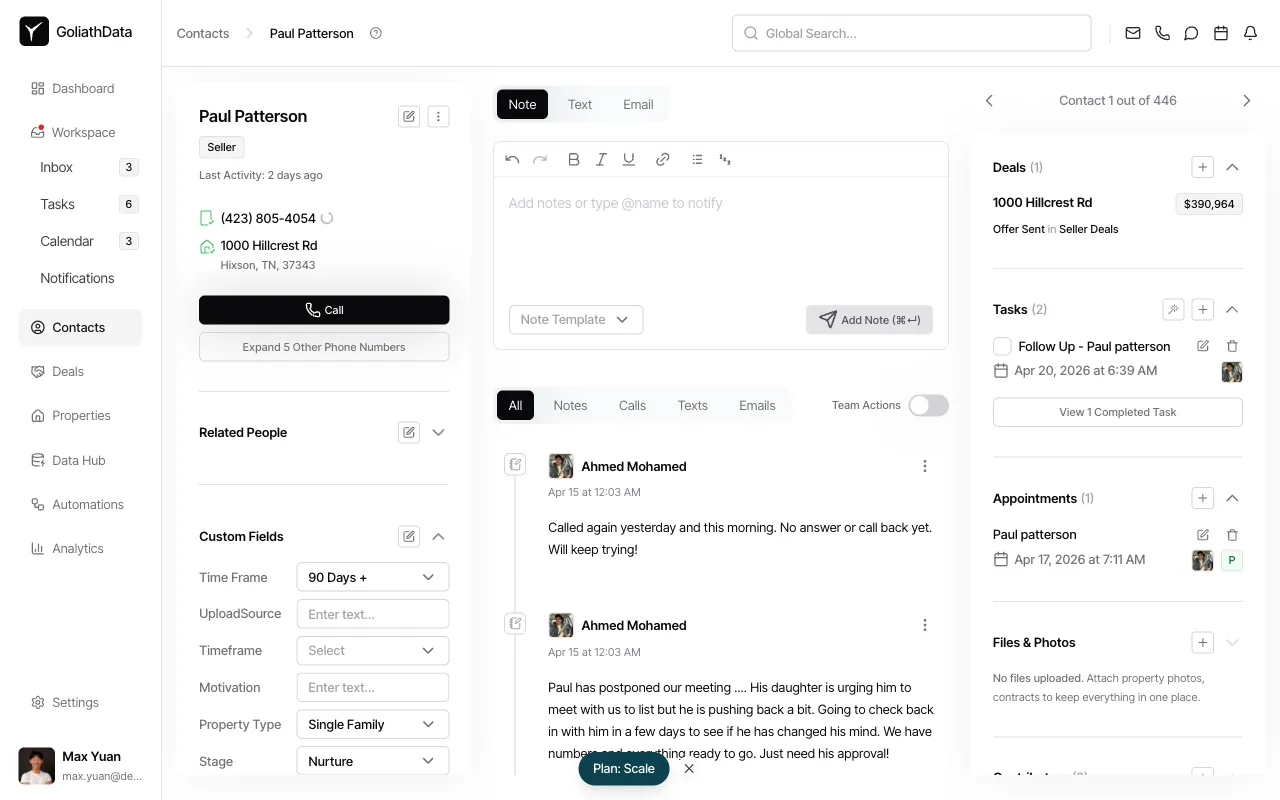
Access the enrichment menu
Click the three-dot menu icon next to the contact name at the top of the detail panel. A dropdown will appear with available actions.
-
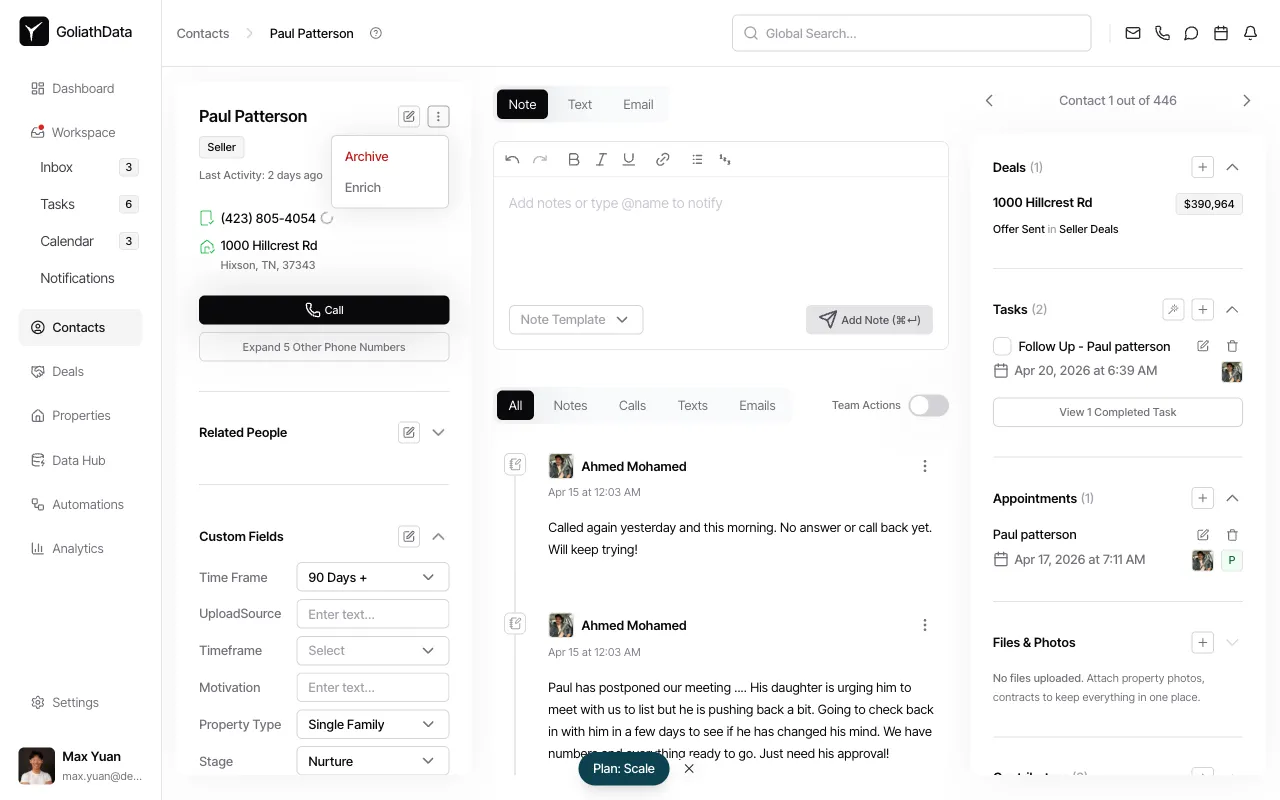
Select the Enrich option
Click Enrich from the dropdown menu. Goliath will immediately query multiple data sources and append any discovered phone numbers, email addresses, mailing addresses, and county ownership data to the contact record.
-
Review the enriched data
Newly added contact methods will appear in the contact detail panel. Phone numbers include quality indicators (mobile vs landline). Email addresses include deliverability scores. County data may include current owner of record, mailing address, purchase date, and estimated equity. Original contact information is never overwritten — new values are appended.
Frequently Asked Questions
Section titled “Frequently Asked Questions”Q: Where does Goliath get enrichment data?
Section titled “Q: Where does Goliath get enrichment data?”Goliath pulls from three sources: third-party skip-tracing providers (for phone and email), county records (for ownership and property tax data), and Goliath’s internal data pipelines (MLS feeds, foreclosure filings, code violations, and tax delinquency lists).
Q: Will enrichment overwrite my existing contact information?
Section titled “Q: Will enrichment overwrite my existing contact information?”No. Enrichment appends new data to the contact record without replacing what you already have. If there’s a conflict (e.g., different mailing addresses), both values will be visible for you to review.
Q: How many contact methods can I expect from enrichment?
Section titled “Q: How many contact methods can I expect from enrichment?”Typical results include 1–3 phone numbers and 1–3 email addresses per contact, plus any available county or pipeline data such as ownership details, occupancy status, and distress signals.
Q: Can I enrich contacts in bulk?
Section titled “Q: Can I enrich contacts in bulk?”Yes. Select multiple contacts from the list view, click the Actions dropdown, and choose Enrich. This is faster than enriching one contact at a time.