
How Do I Set Up Incoming Webhooks?
Incoming webhooks are HTTP endpoints hosted by Goliath that allow external systems to push data directly into your account. When an external service—such as a landing page form, third-party lead provider, or custom script—sends a POST request to your webhook URL, Goliath automatically creates or updates contact records from the payload. This is ideal for machine-to-machine integrations where you need a lightweight, custom data ingestion path without relying on third-party middleware.
Step-by-Step Guide
Section titled “Step-by-Step Guide”-
Navigate to the Integrations page
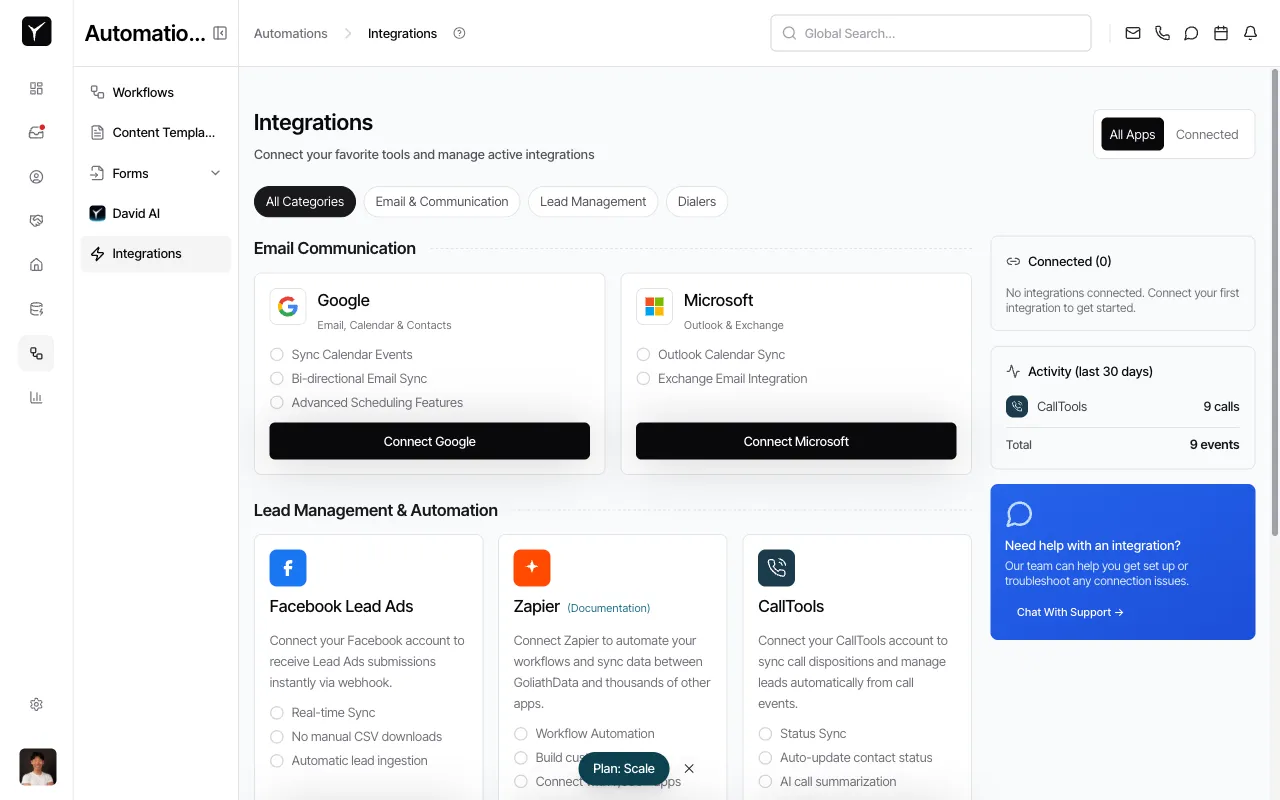
From the left sidebar, click Integrations under the Automations section. This opens the Integrations page where you can manage all connected apps and services.
-
Scroll to the Webhooks integration card
Scroll down to the Lead Management & Automation section. Locate the Webhooks card, which displays a brief description: “Push contacts into Goliath from any external service using secure HTTP webhook URLs.”
-
Open the dialog and create a new webhook
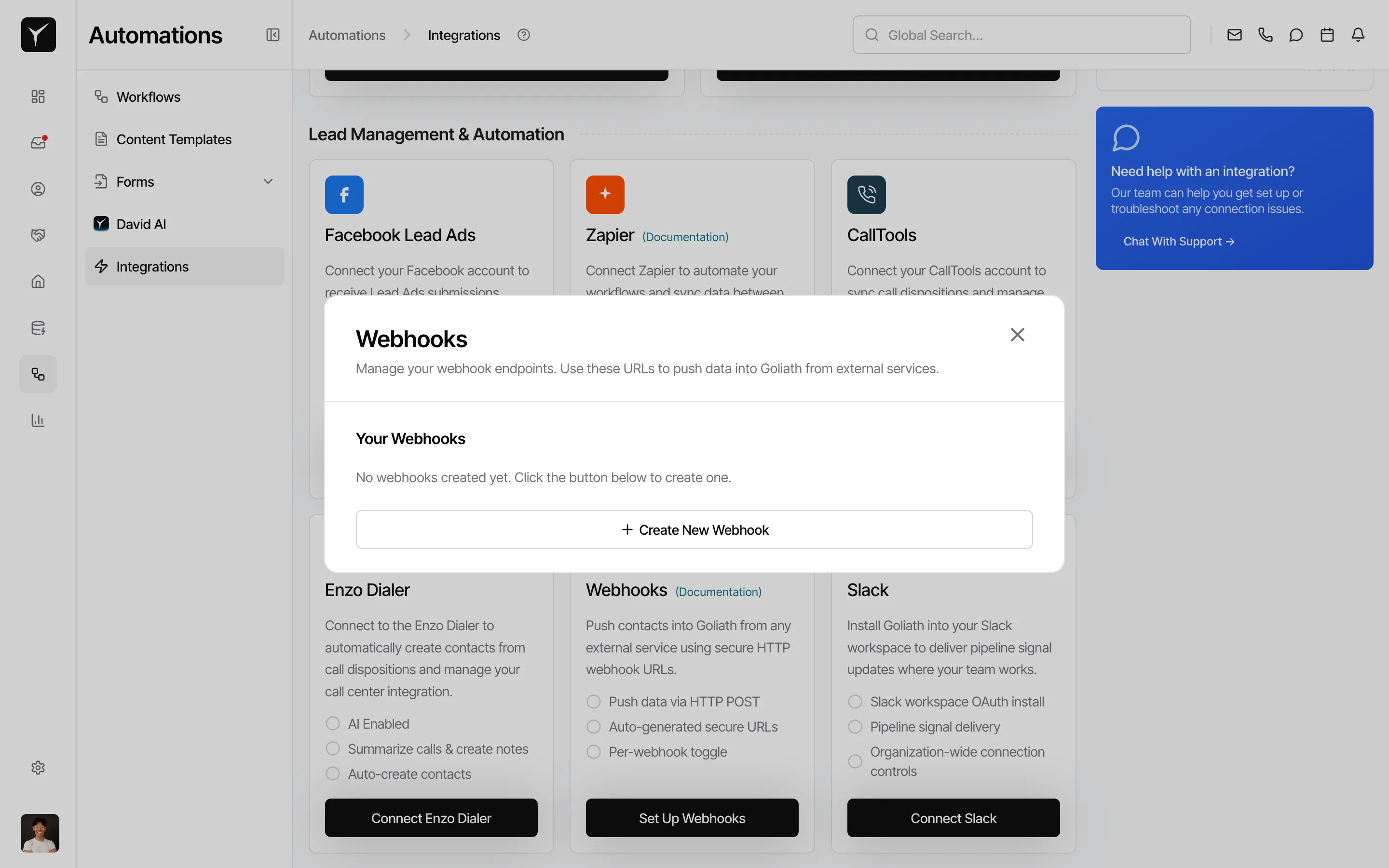
Click the Set Up Webhooks button on the Webhooks card. In the dialog, click Create New Webhook to generate a new incoming webhook endpoint.
-
Copy the webhook URL and configure your external system
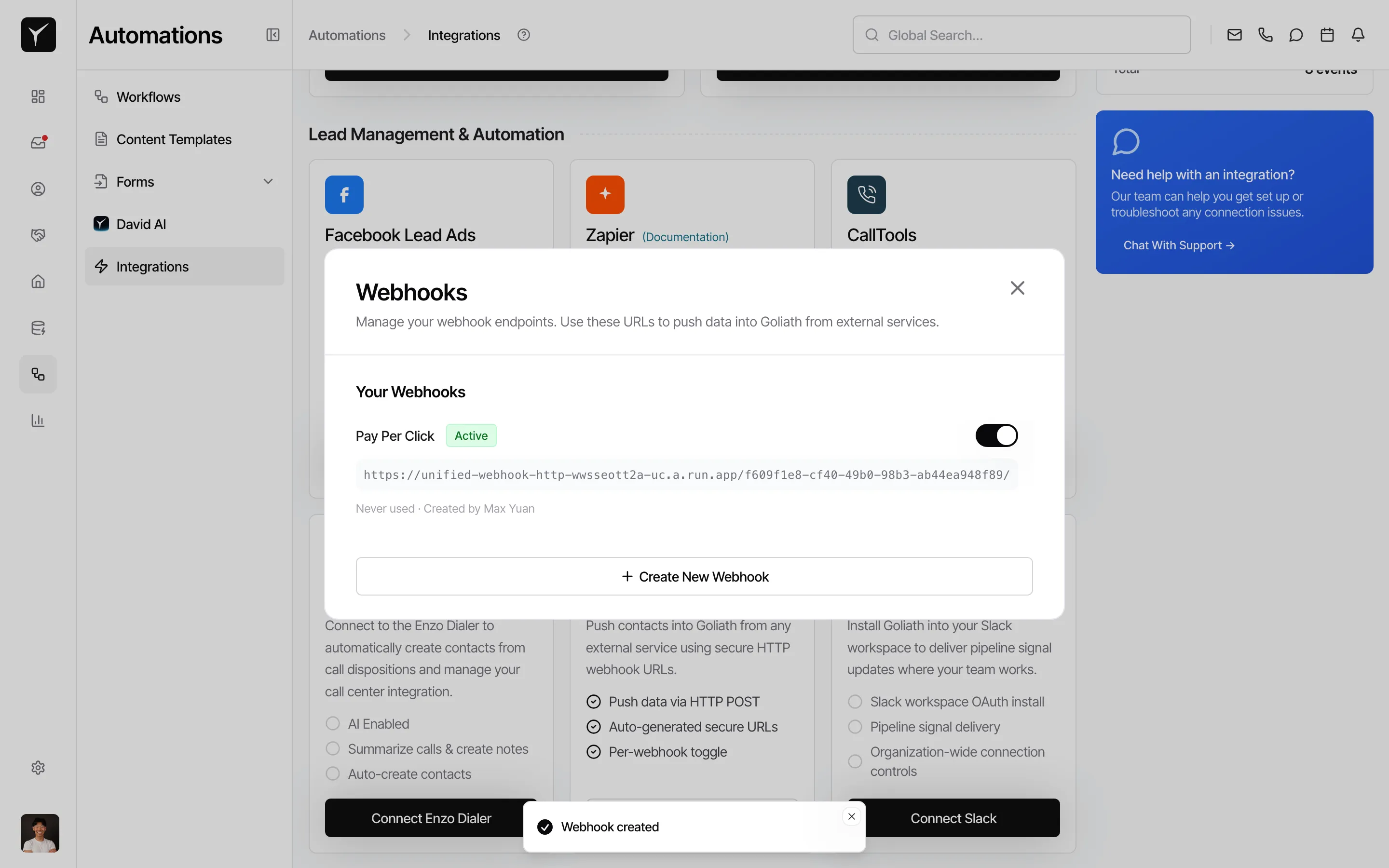
Goliath generates a unique webhook URL. Copy it and configure your external system (landing page, script, or third-party service) to POST JSON data to this endpoint. Treat the URL like an API key — anyone with it can create records, so share it only with trusted systems.
Frequently Asked Questions
Section titled “Frequently Asked Questions”Q: What’s the difference between incoming webhooks and Zapier?
Section titled “Q: What’s the difference between incoming webhooks and Zapier?”Zapier is a bridge that connects thousands of apps to Goliath without custom code. Incoming webhooks are for custom or no-Zapier-available integrations—you build the POSTing side, but you get a lightweight, direct data ingestion path. If the external system already supports webhooks natively, use incoming webhooks. If you need to connect a popular app with prebuilt connectors, use Zapier.
Q: Is there rate limiting on incoming webhooks?
Section titled “Q: Is there rate limiting on incoming webhooks?”Yes, Goliath applies reasonable rate limits to incoming webhooks to protect system performance. For most use cases, the default limits are sufficient. If you expect high-volume traffic (hundreds of POSTs per minute), contact support to discuss your requirements and potentially raise the limit.
Q: Can I rotate or regenerate a webhook URL?
Section titled “Q: Can I rotate or regenerate a webhook URL?”Yes. If your webhook URL is compromised or you need to change it for any reason, simply delete the existing webhook from the Your Webhooks section and create a new one. This generates a fresh URL. Update your external system to POST to the new endpoint.
Q: What happens if my POST payload is malformed?
Section titled “Q: What happens if my POST payload is malformed?”If the JSON payload doesn’t match the expected format, the webhook will reject the request with a 4xx HTTP error code. Check the webhook’s error log (visible in the Webhooks dialog) or test your payload structure in the dashboard before deploying to production.
Q: Should I use webhooks or Goliath Forms for lead capture?
Section titled “Q: Should I use webhooks or Goliath Forms for lead capture?”Use Forms when you need an end-user-facing interface—such as a contact filling out a form on your website. Use incoming webhooks for system-to-system integrations where a backend service or script pushes data into Goliath programmatically. Forms are for human lead capture; webhooks are for machine-to-machine ingestion.