
How Do I Tag Contacts?
Tags are lightweight labels that help you categorize contacts—such as “Hot Lead,” “Seller,” “Buyer,” or “Cash Buyer.” You can apply multiple tags to a single contact from the contact detail page, and use those tags to filter your contact list or trigger automation workflows. Tags are free-form and can be created on the fly by any team member.
Step-by-Step Guide
Section titled “Step-by-Step Guide”-
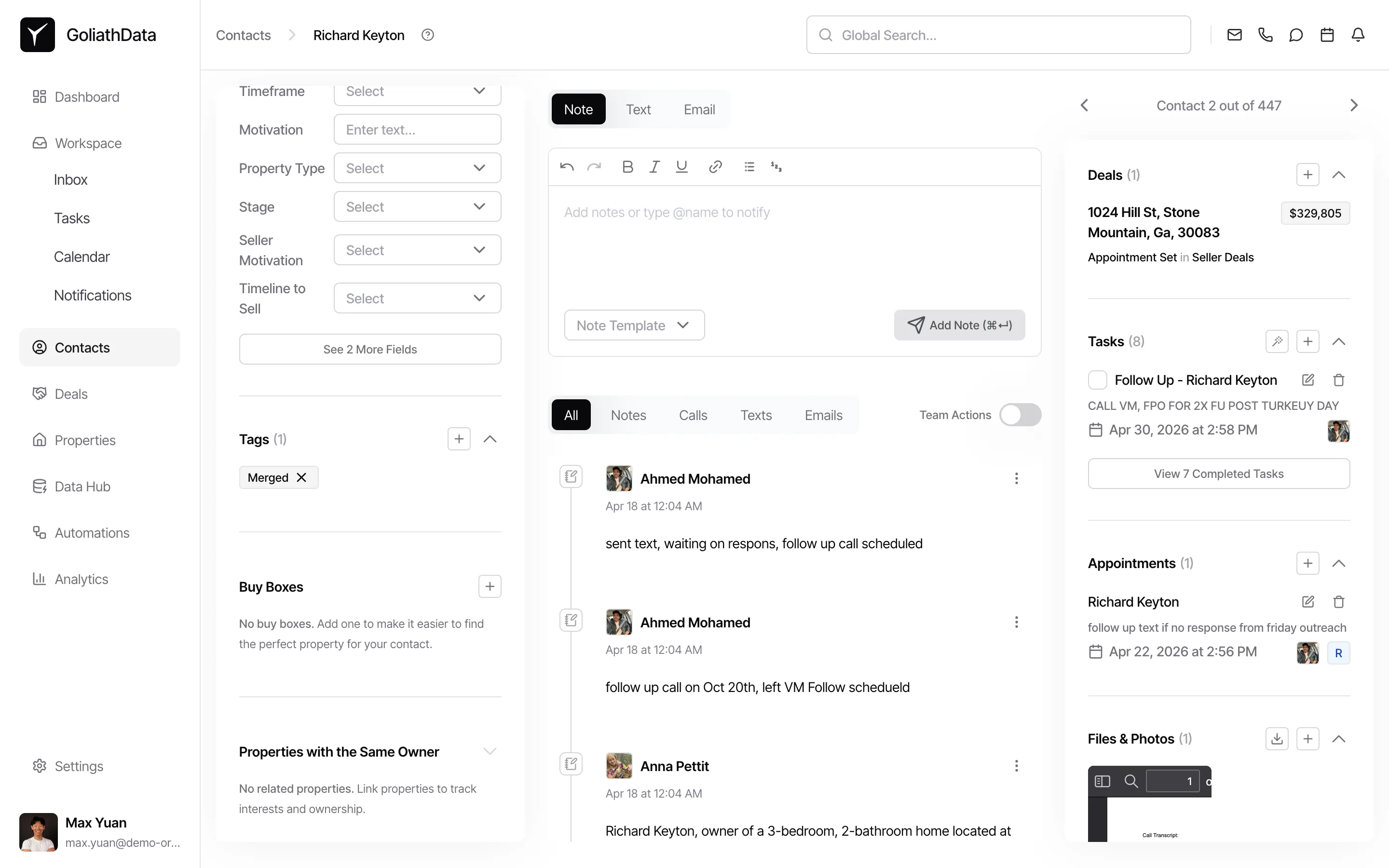
Open the contact detail page and scroll to the Tags section
Navigate to Contacts from the left sidebar, then click on a contact name to open their detail page. In the right panel, scroll down until you see the Tags section. This section displays any tags already applied to the contact.
-
Open the tag picker
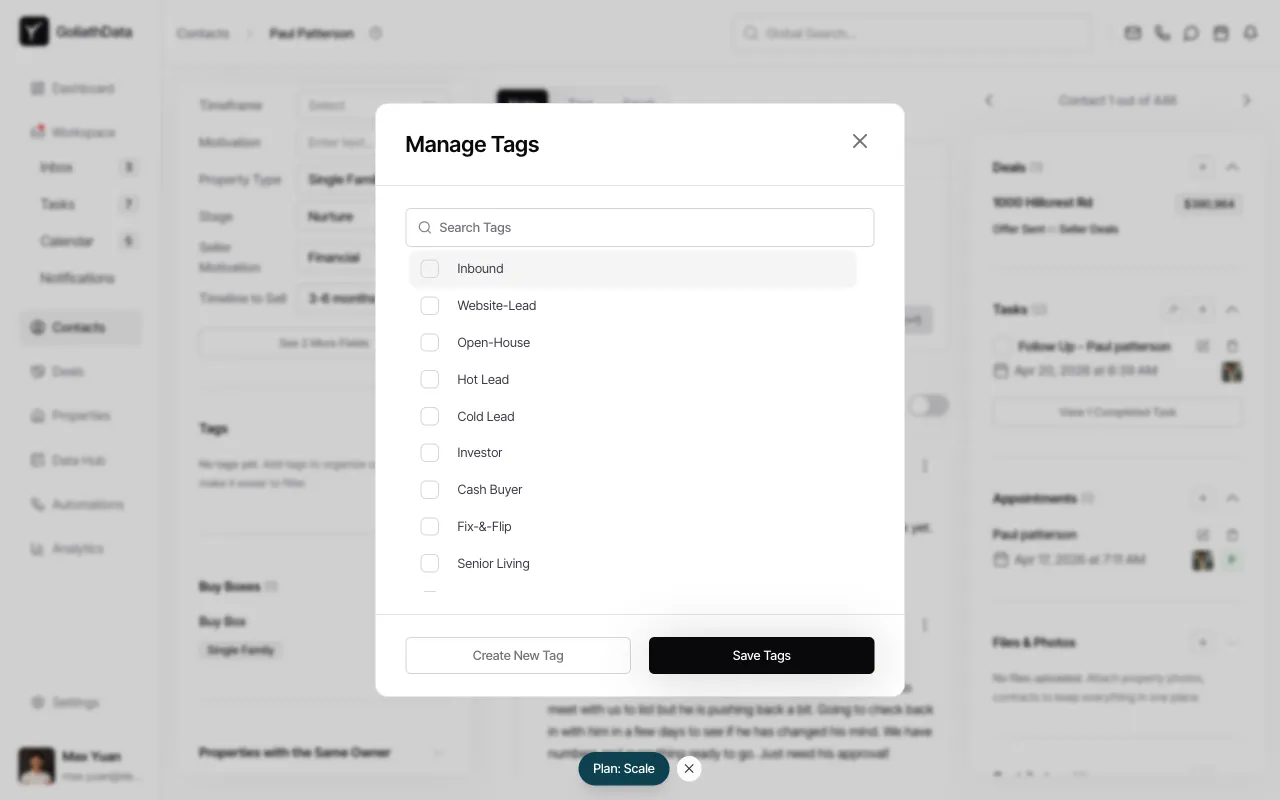
Click the + button (or the tag management control) in the Tags section to open the Manage Tags dialog.
-
Select or create tags
In the Manage Tags dialog, you’ll see a list of existing tags used across your organization (e.g., “Inbound,” “Website-Lead,” “Hot Lead,” “Cash Buyer”). Check the boxes next to the tags you want to apply. If the tag you need doesn’t exist, click Create New Tag and enter a new label—Goliath will save it to your organization’s tag library.
-
Save your changes
Once you’ve selected or created the desired tags, click Save Tags to apply them to the contact. The dialog will close, and the tags will appear as chips in the Tags section of the contact detail page.
Frequently Asked Questions
Section titled “Frequently Asked Questions”Q: Can I apply multiple tags to one contact?
Section titled “Q: Can I apply multiple tags to one contact?”Yes. A contact can have as many tags as you need—for example, a contact can be tagged as “Seller,” “Hot Lead,” and “Investor” simultaneously.
Q: Can I bulk-tag multiple contacts at once?
Section titled “Q: Can I bulk-tag multiple contacts at once?”Tagging from the contact detail page applies to one contact at a time. Check the Actions menu on the contacts list page to see if bulk tagging is available for your plan.
Q: Do contact tags carry over to properties or deals?
Section titled “Q: Do contact tags carry over to properties or deals?”No. Tags are independent per entity type—contact tags, property tags, and deal tags are separate. You’ll need to tag each entity individually.
Q: How do I see all contacts with a specific tag?
Section titled “Q: How do I see all contacts with a specific tag?”In the Contacts list, click Add Filter and select the tag you want to filter by. Goliath will display only contacts with that tag applied.