
How Do I Skip Trace One Property?
Skip tracing a single property retrieves owner contact information—phone numbers, email addresses, and additional mailing addresses—directly from the property detail page. This feature uses third-party data providers to enrich your lead with actionable contact details, making it easier to reach out to property owners. Each skip trace consumes one credit from your organization’s billing plan.
Step-by-Step Guide
Section titled “Step-by-Step Guide”-
Navigate to the property you want to skip trace
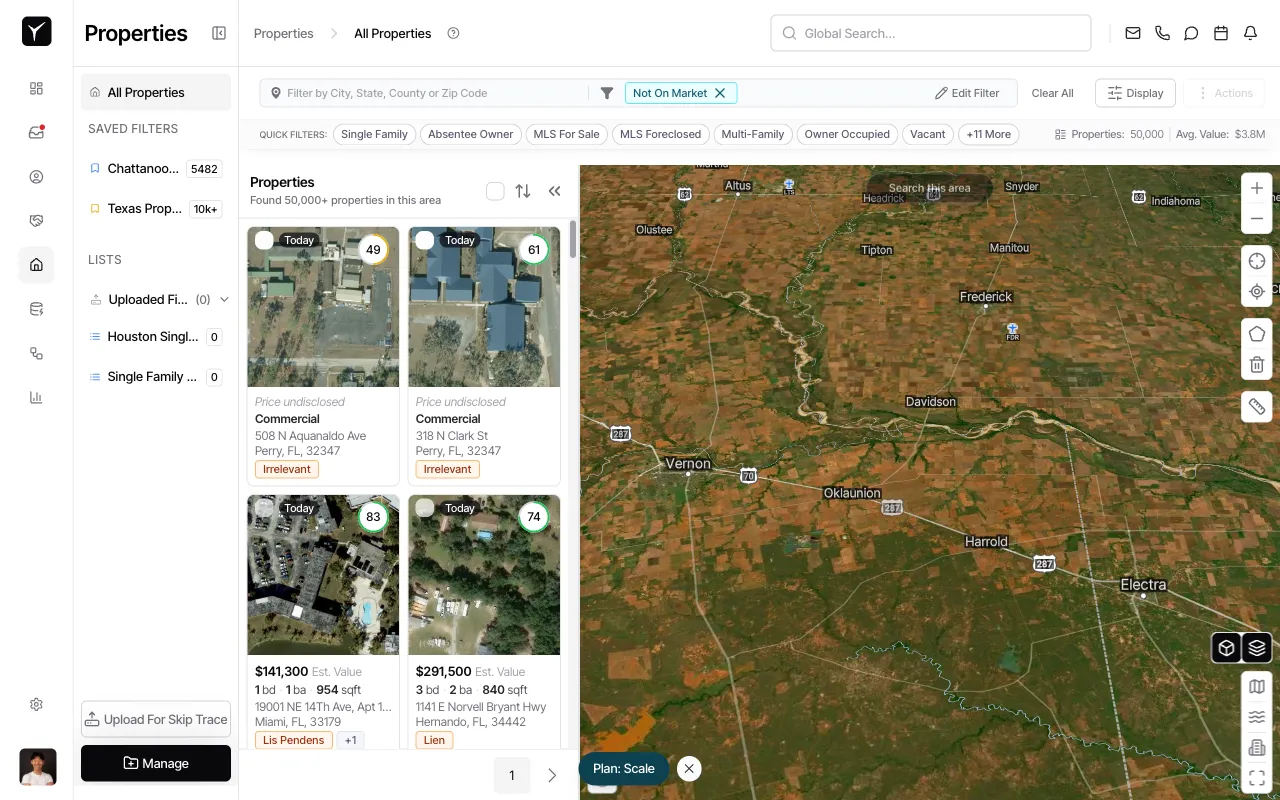
Open the property detail page by clicking on the property address from the Properties list. The property overview displays key details including the owner’s name, address, and parcel information.
-
Click the Skip Trace button
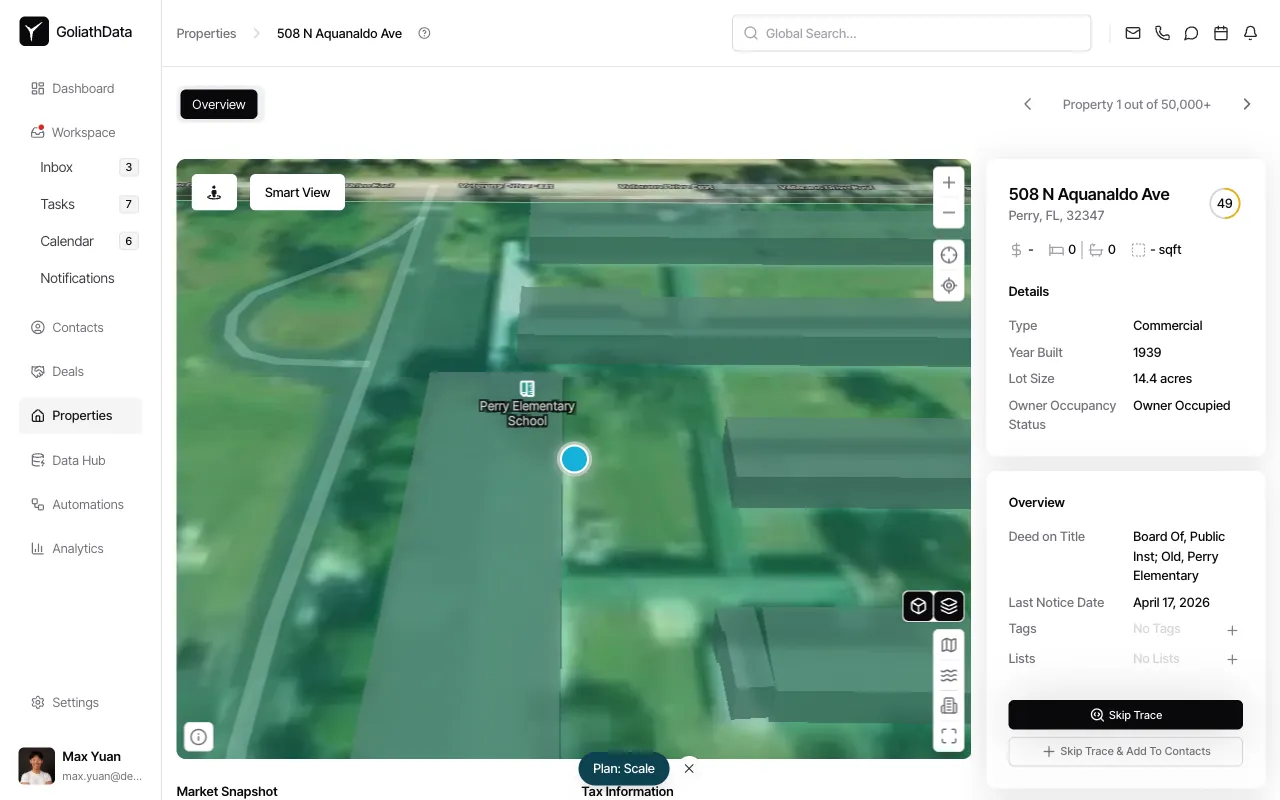
Scroll to the Overview section in the right-side panel. Click Skip Trace (or Skip Trace & Add To Contacts) to initiate the lookup. Goliath queries third-party providers for owner contact information. A confirmation dialog may appear showing the credit cost before the trace begins.
-
Review the skip trace results
After the trace completes, Goliath populates the property record with owner contact details. A contact record is also created or updated for each matched owner, with phone numbers and email addresses attached. Any tags on the property automatically carry over to the generated contact.
Frequently Asked Questions
Section titled “Frequently Asked Questions”Q: What kind of contact information will I get?
Section titled “Q: What kind of contact information will I get?”Typical results include 1-3 phone numbers (with mobile vs. landline indicators) and 1-3 email addresses (with deliverability scores) per traced property.
Q: What happens if no match is found?
Section titled “Q: What happens if no match is found?”If the skip-trace provider cannot find contact information, no credits are typically charged and Goliath reports “no match” in the results.
Q: Can I choose which skip-trace data provider to use?
Section titled “Q: Can I choose which skip-trace data provider to use?”No, Goliath automatically queries across its provider network to maximize match rates and data quality.
Q: What if the property has no owner on file?
Section titled “Q: What if the property has no owner on file?”Skip tracing requires at least an address and an owner name to resolve contact information. If a property is missing owner data, enrich the property record with county data first before attempting a skip trace.
Q: Does skip tracing work outside the United States?
Section titled “Q: Does skip tracing work outside the United States?”Skip tracing is primarily designed for U.S. properties. International property support is limited.
Q: Where can I view the skip-traced contact details after the trace?
Section titled “Q: Where can I view the skip-traced contact details after the trace?”Contact information appears in two places: (a) the property record’s owner contact fields, and (b) the Contacts module, where a contact record is created or updated for each matched owner.