
Custom Fields on Deals
Custom fields let you track deal-specific data beyond the built-in fields Goliath provides. These fields are defined organization-wide and appear on every deal across all pipelines. Common examples include Acquisition Cost, Rehab Budget, ARV (After Repair Value), Assignment Fee, Loan Type, or Lead Source.
Step-by-Step Guide
Section titled “Step-by-Step Guide”-
Open the Manage Pipelines dialog
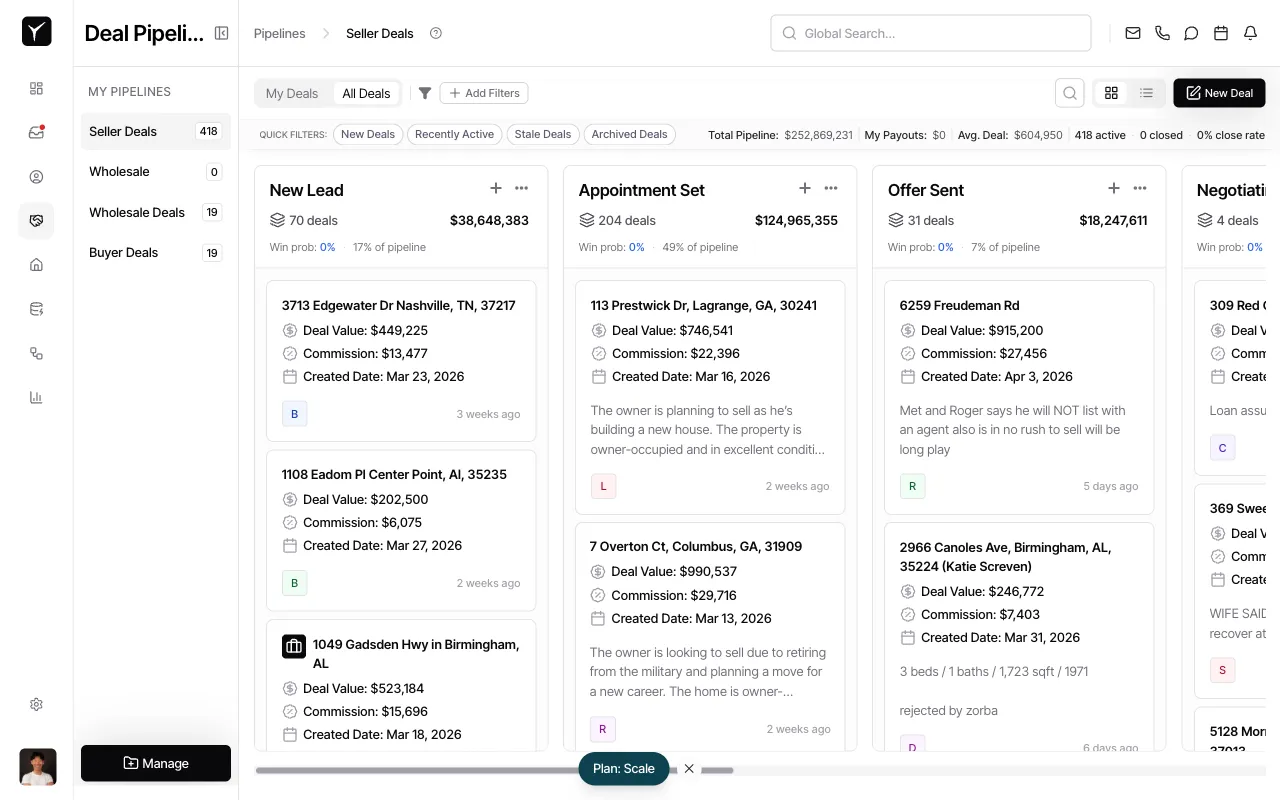
From any pipeline view, click the Manage button in the sidebar. This opens the pipeline management interface.
-
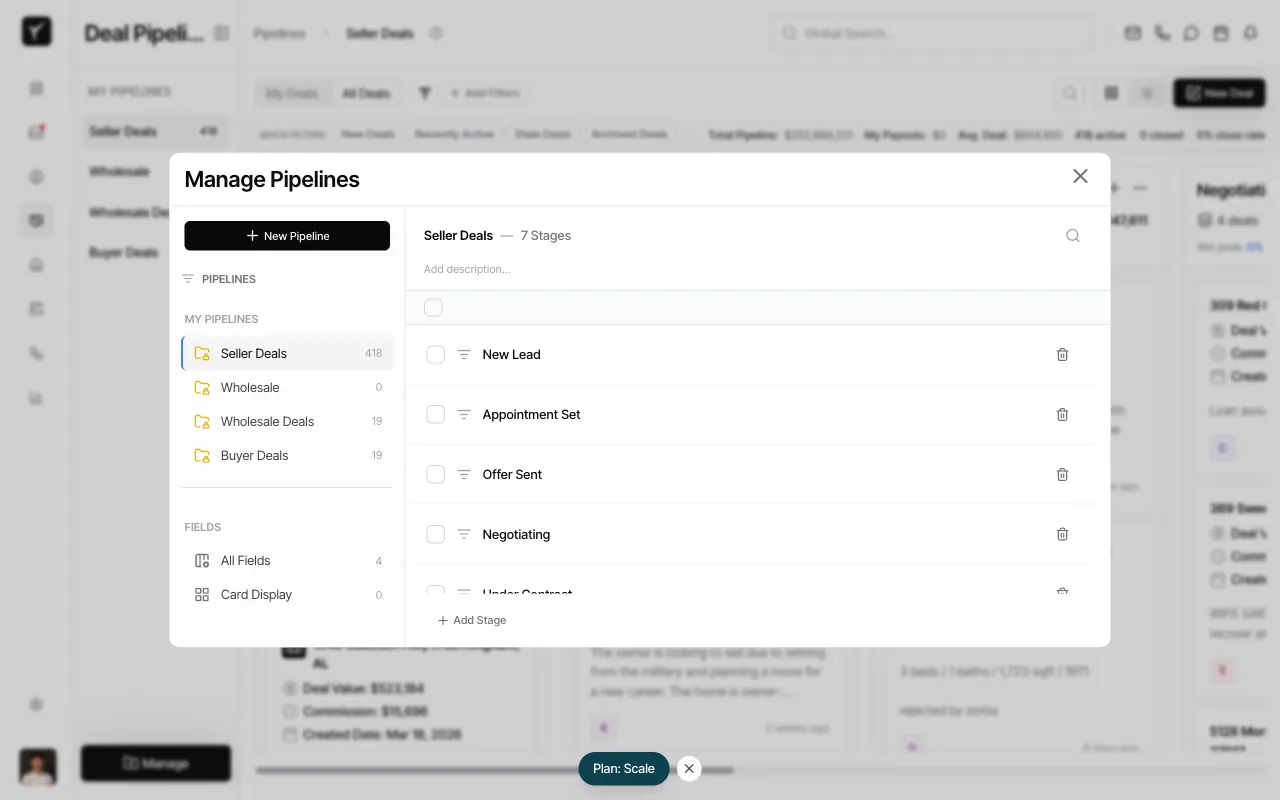
Navigate to All Fields
In the left sidebar under FIELDS, click All Fields. You’ll see existing system fields (Deal Value, Commission, Close Date, Created Date) and any custom fields already defined.
-
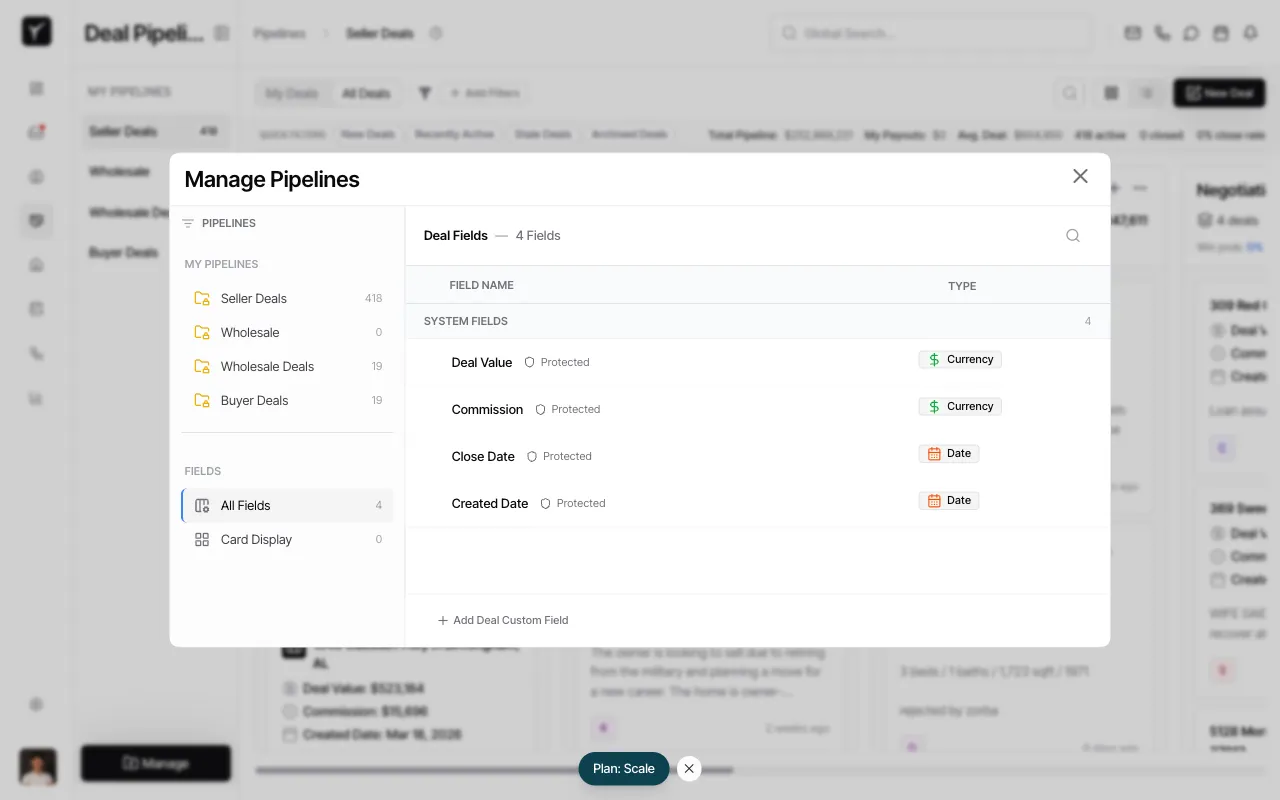
View or add custom fields
The Deal Fields panel displays all fields. System fields are marked as Protected and cannot be edited or removed. Click + Add Deal Custom Field at the bottom to create a new field.
-
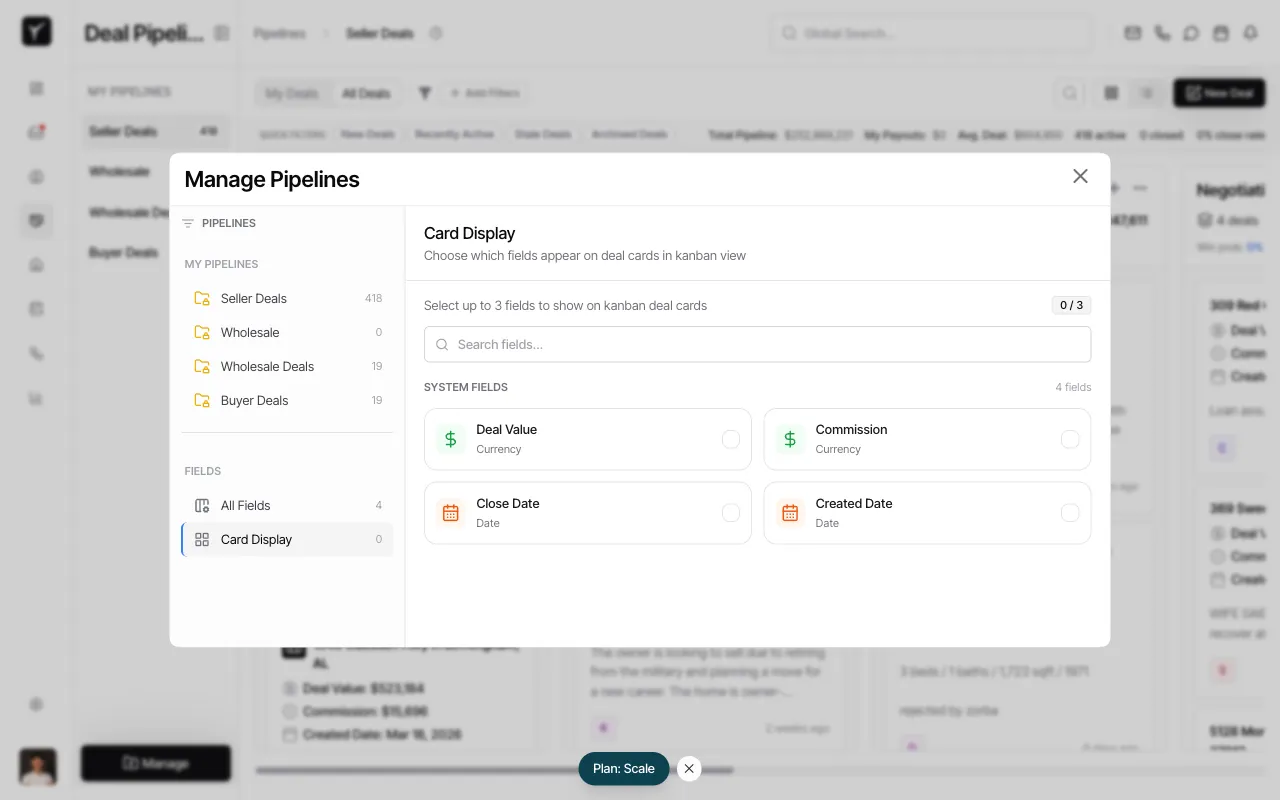
Configure Card Display settings
Click Card Display in the left sidebar to choose which fields appear on deal cards in the Kanban view. You can select up to 3 fields to display on each card. This keeps the board uncluttered while all fields remain accessible on the deal detail sheet.
Frequently Asked Questions
Section titled “Frequently Asked Questions”Q: Can I create pipeline-specific custom fields?
Section titled “Q: Can I create pipeline-specific custom fields?”No. All custom fields are organization-wide and appear on every deal. This matches how contact custom fields work in Goliath.
Q: Who can create custom fields?
Section titled “Q: Who can create custom fields?”Only organization admins can define or edit custom fields. All team members can view and update field values on individual deals.
Q: What field types are supported?
Section titled “Q: What field types are supported?”Text, number, date, currency, single-select dropdown, multi-select, boolean/checkbox. These match the field types available for contact custom fields.
Q: Can I use custom fields in filters and exports?
Section titled “Q: Can I use custom fields in filters and exports?”Yes. Once defined, custom fields can be filtered, sorted, included in deal exports, and referenced by automation workflows.
Q: What happens if I don’t set a custom field on a deal?
Section titled “Q: What happens if I don’t set a custom field on a deal?”The field will remain blank. Custom fields are optional by default unless you configure a workflow or validation rule requiring them.