
Kanban vs. List View
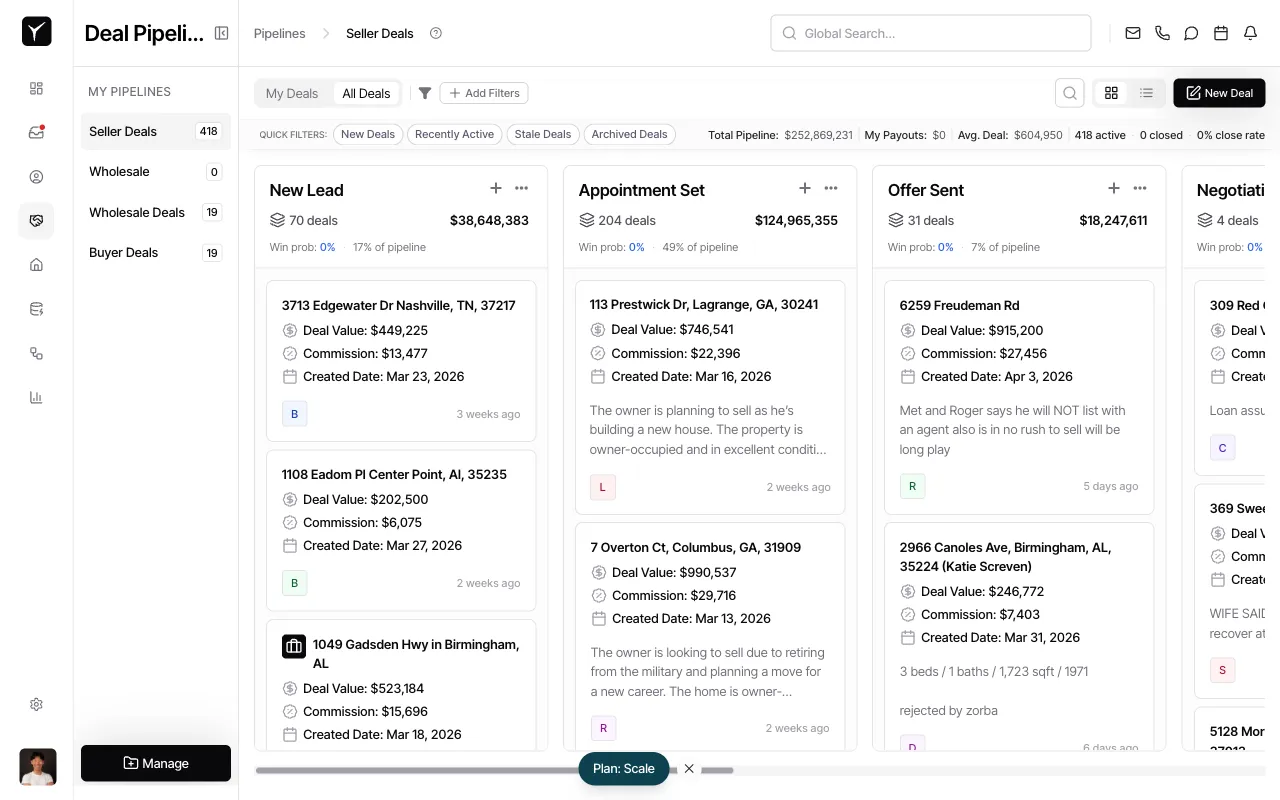
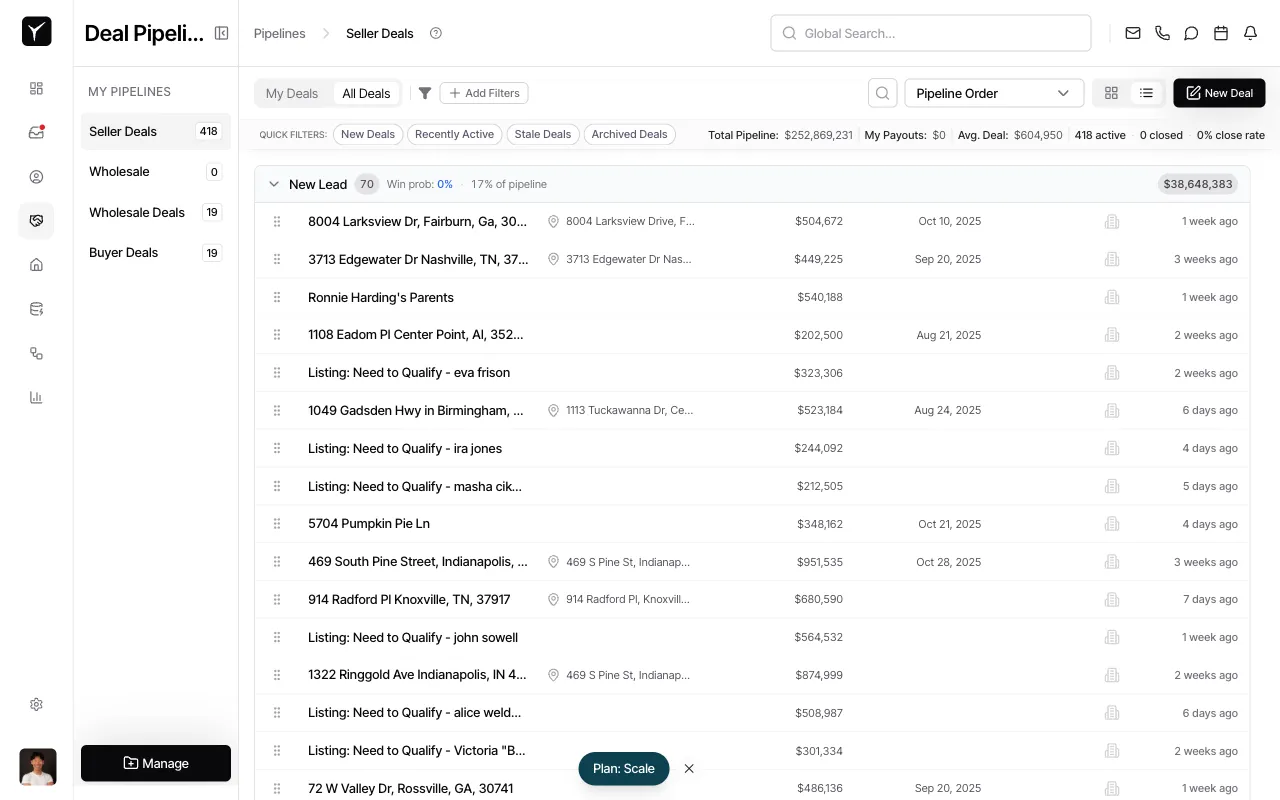
Goliath offers two ways to view your deals: Kanban (visual board) and List (sortable table). Kanban is ideal for daily pipeline management and drag-and-drop workflows, while List excels at sorting, filtering, and bulk operations. Both views respect the same filters and preserve your selection across sessions.
Step-by-Step Guide
Section titled “Step-by-Step Guide”-
Navigate to the Deals page and switch to List view
From the left sidebar, click Seller Deals, Wholesale Deals, or Buyer Deals to open your pipeline. By default you’ll see the Kanban board. To switch, click the List view icon (three horizontal lines) in the top-right corner of the page.
-
Review your deals in List view
The same deals now appear as rows in a sortable table. You can see additional columns (deal value, close date, last activity) at a glance, and apply sorting or filtering as needed.
Frequently Asked Questions
Section titled “Frequently Asked Questions”Q: Do filters apply to both views?
Section titled “Q: Do filters apply to both views?”Yes. Any filters you apply in Kanban or List view persist when you switch between layouts, so you always see the same subset of deals.
Q: Can I export deals from Kanban view?
Section titled “Q: Can I export deals from Kanban view?”Exporting is best done from List view, where you can sort and select specific columns before generating a CSV for external reporting.
Q: Will my team members see my view preference?
Section titled “Q: Will my team members see my view preference?”No. Each user’s view preference (Kanban or List) is saved individually, so your team can default to their preferred layout without affecting others.