
How Do I Sort Properties?
Sorting allows you to reorder your property results by any column—such as Seller Intent Score, Estimated Equity, or Year Built—to prioritize the leads that matter most. To sort properties, you must first switch to List view, since the card and map layouts do not support column-level sorting. Once in List view, you can click any column header to sort ascending or descending and quickly identify the best opportunities in your filtered results.
Step-by-Step Guide
Section titled “Step-by-Step Guide”-
Open the Display menu
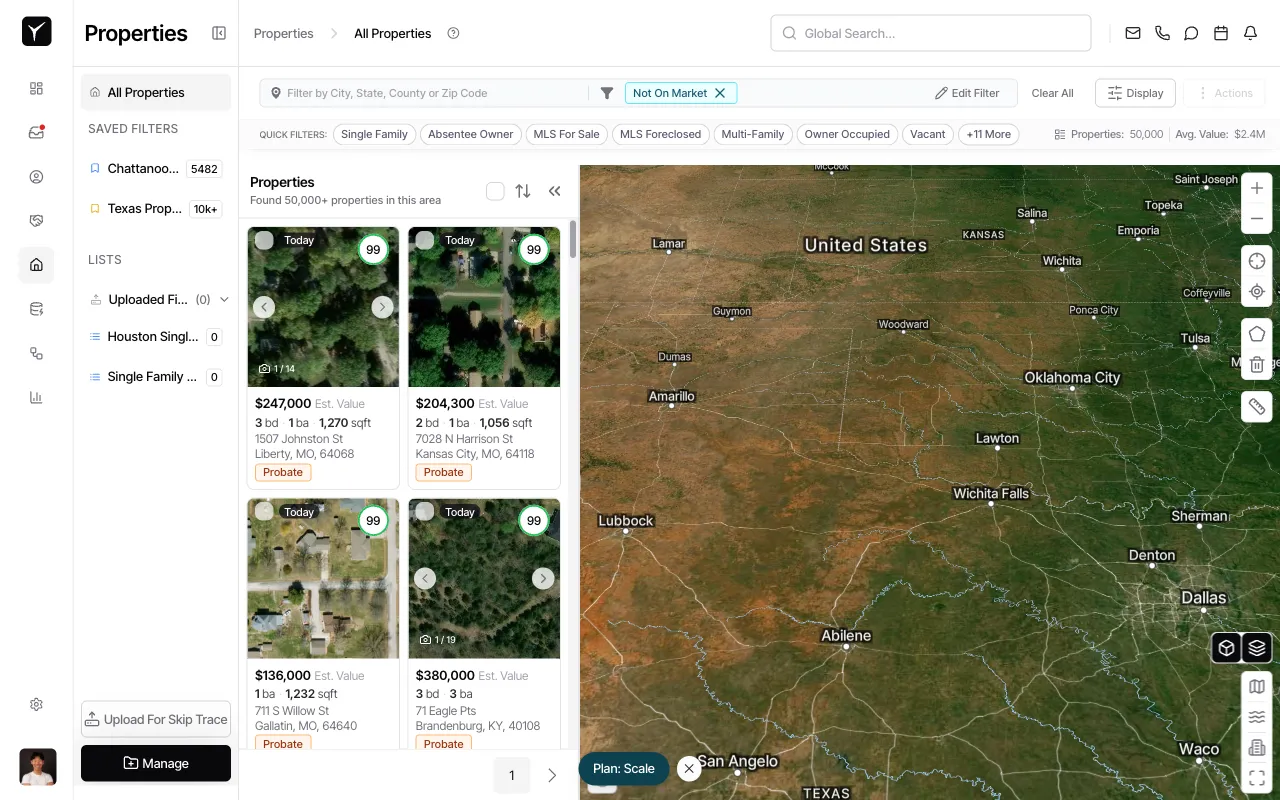
From the Properties page, click the Display button in the top-right toolbar to reveal view and column options.
-
Switch to List view
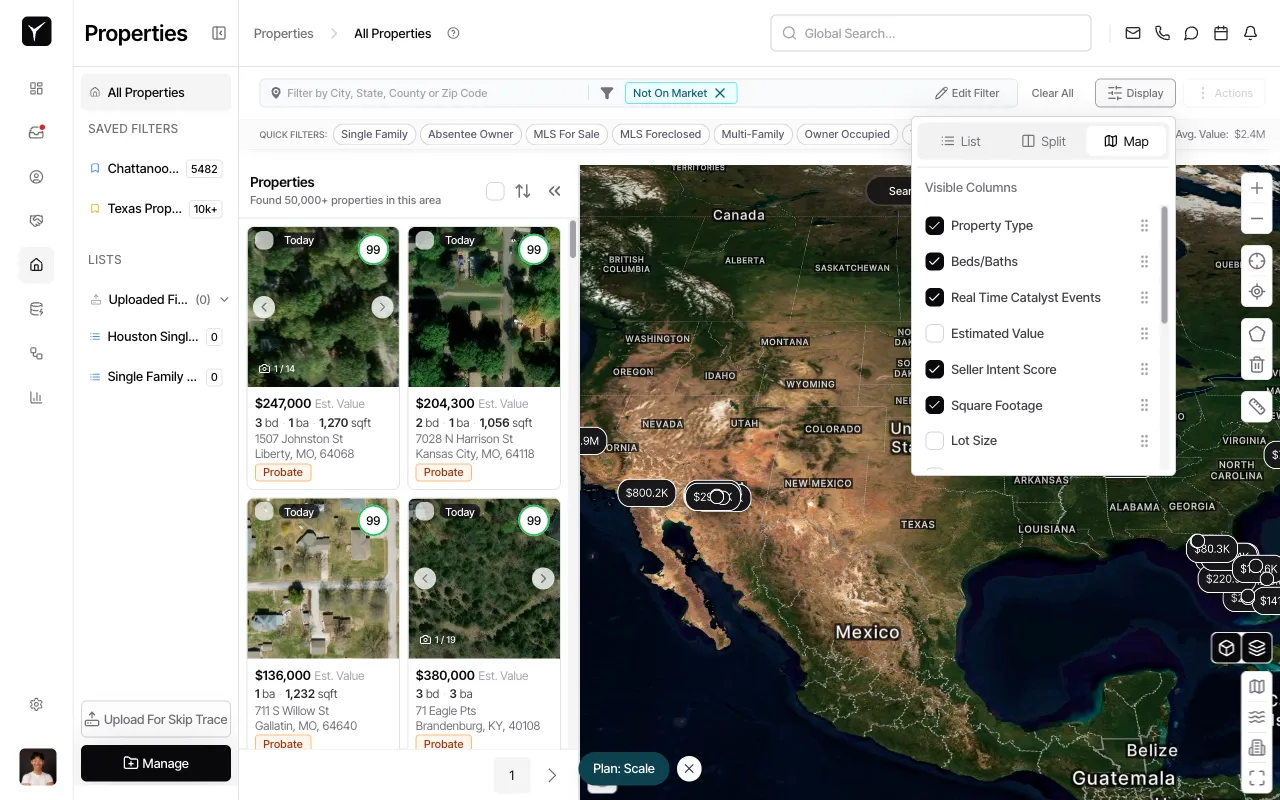
In the Display menu, select List to switch from the default card or map view to the sortable table layout.
-
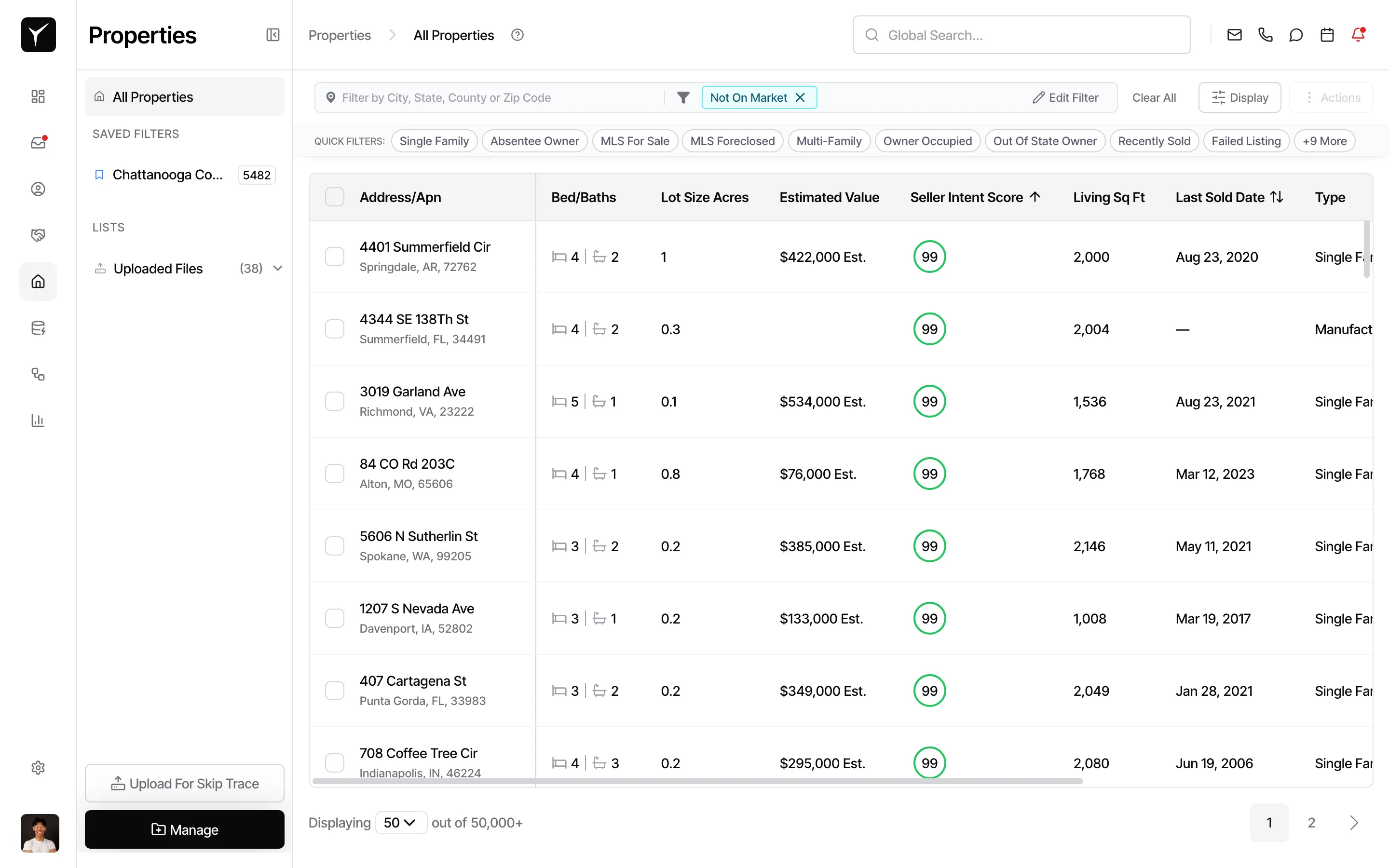
Review the table layout
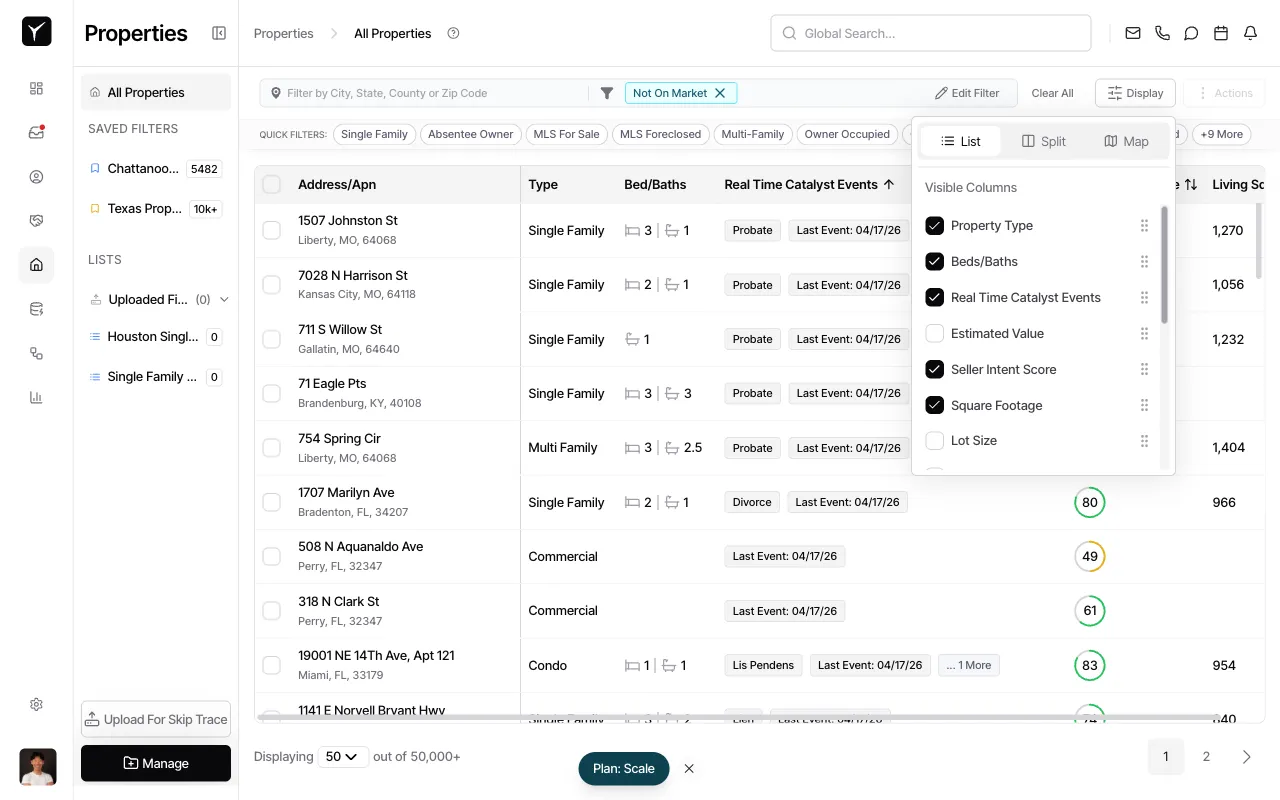
The properties now appear as rows with visible columns such as Address/Apn, Type, Bed/Baths, Real Time Catalyst Events, Seller Intent Score, and Living Sq Ft. You can toggle additional columns on or off using the Visible Columns checklist in the Display menu.
-
Click a column header to sort
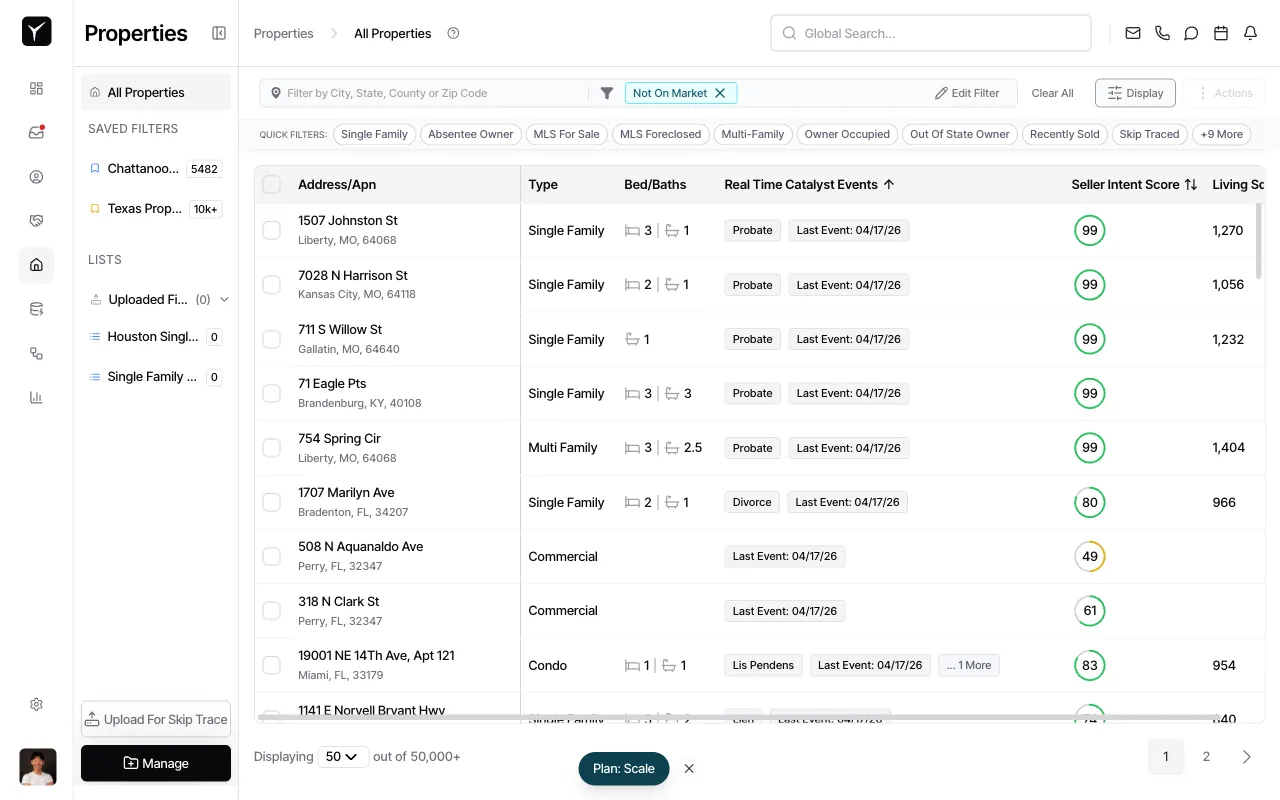
Click the header of the column you want to sort by. For example, clicking Seller Intent Score sorts properties by score in ascending order. An arrow icon appears in the header to indicate the active sort and direction.
-
Toggle sort direction
Click the same column header again to reverse the sort order (descending). The arrow indicator flips direction. Sorting applies to your current filtered result set, so only properties matching your active filters will be reordered.
Frequently Asked Questions
Section titled “Frequently Asked Questions”Q: Can I sort by multiple columns at once?
Section titled “Q: Can I sort by multiple columns at once?”Goliath supports a single active sort at a time. Click a different column header to change the sort field, or click the same header to toggle direction.
Q: Does sorting affect the Map view?
Section titled “Q: Does sorting affect the Map view?”No. Map view uses spatial clustering and geographic position, so your table sort does not carry over to the map. You’ll need to return to List view to resume sorting.
Q: What columns can I sort by?
Section titled “Q: What columns can I sort by?”Any visible column in List view is sortable, including Address, Estimated Value, Estimated Equity, Seller Intent Score, Year Built, Living Sq Ft, Lot Size, Beds, Baths, and any custom fields you’ve configured.
Q: Will my sort reset if I change filters?
Section titled “Q: Will my sort reset if I change filters?”Your sort column and direction remain active when you add or remove filters. The sorted order applies to the updated result set, so you may see different properties at the top after filtering.