
How Do I View Property Signals?
Catalyst Events are structured filings that indicate a property owner may be motivated to sell—such as judgments, liens, trustee sales, foreclosure filings, probate records, or divorce filings. Catalyst Events are NOT included by default in Goliath. Each event type is only available to your organization AFTER you request a Custom Data Pipeline for that specific data source and Goliath operations has activated the scraper. Once a pipeline is active, events from that source are automatically attached to matching properties and contribute to the Seller Intent Score—a composite metric predicting likelihood-to-sell. Use catalyst events to prioritize outreach to owners who are most likely to respond.
Step-by-Step Guide
Section titled “Step-by-Step Guide”-
Find a property with catalyst events
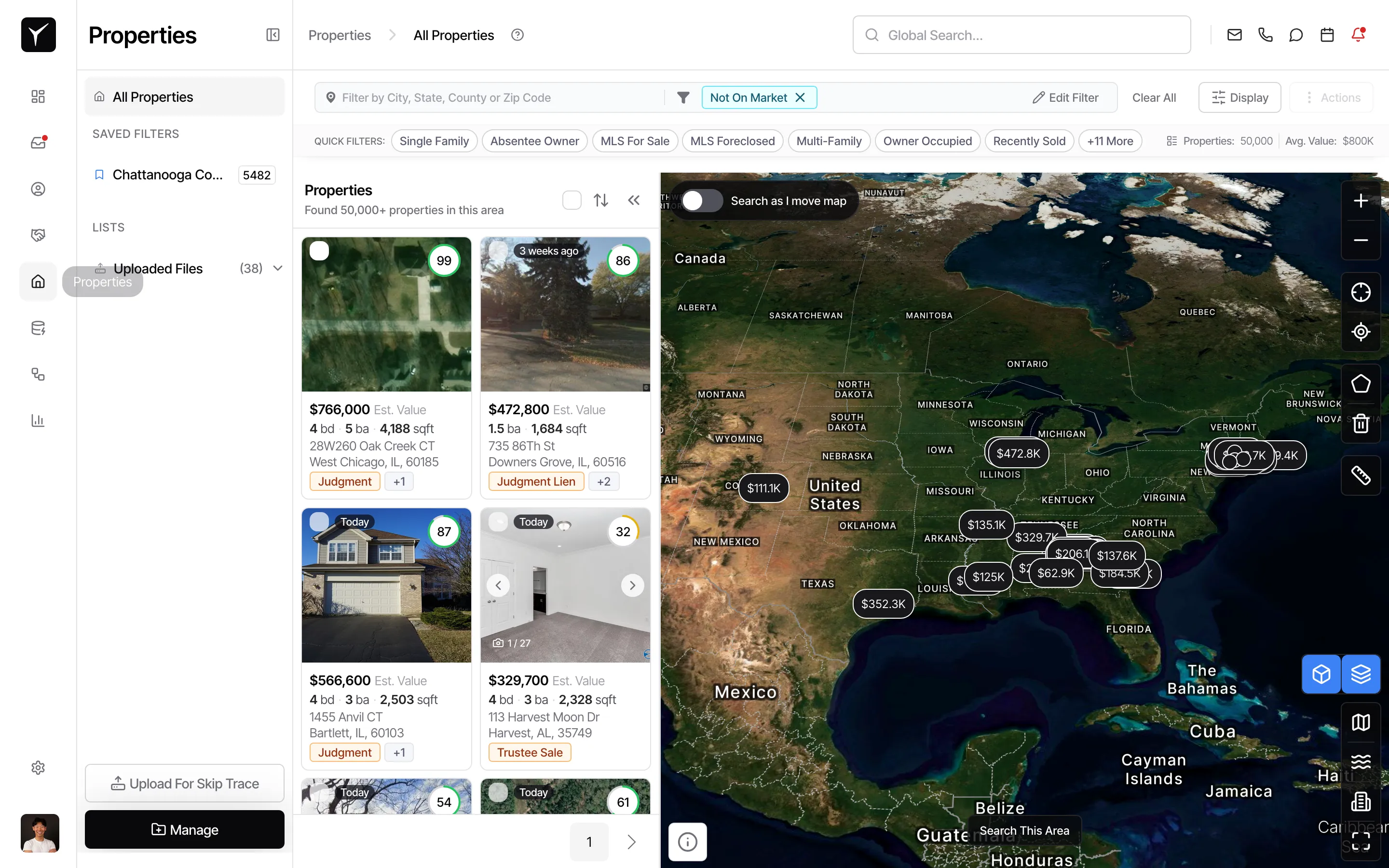
From the Properties list, properties with active catalyst events display event badges on their card (e.g., Judgment, Judgment Lien, Trustee Sale). Click any property to open its detail page.
-
Open the property detail page
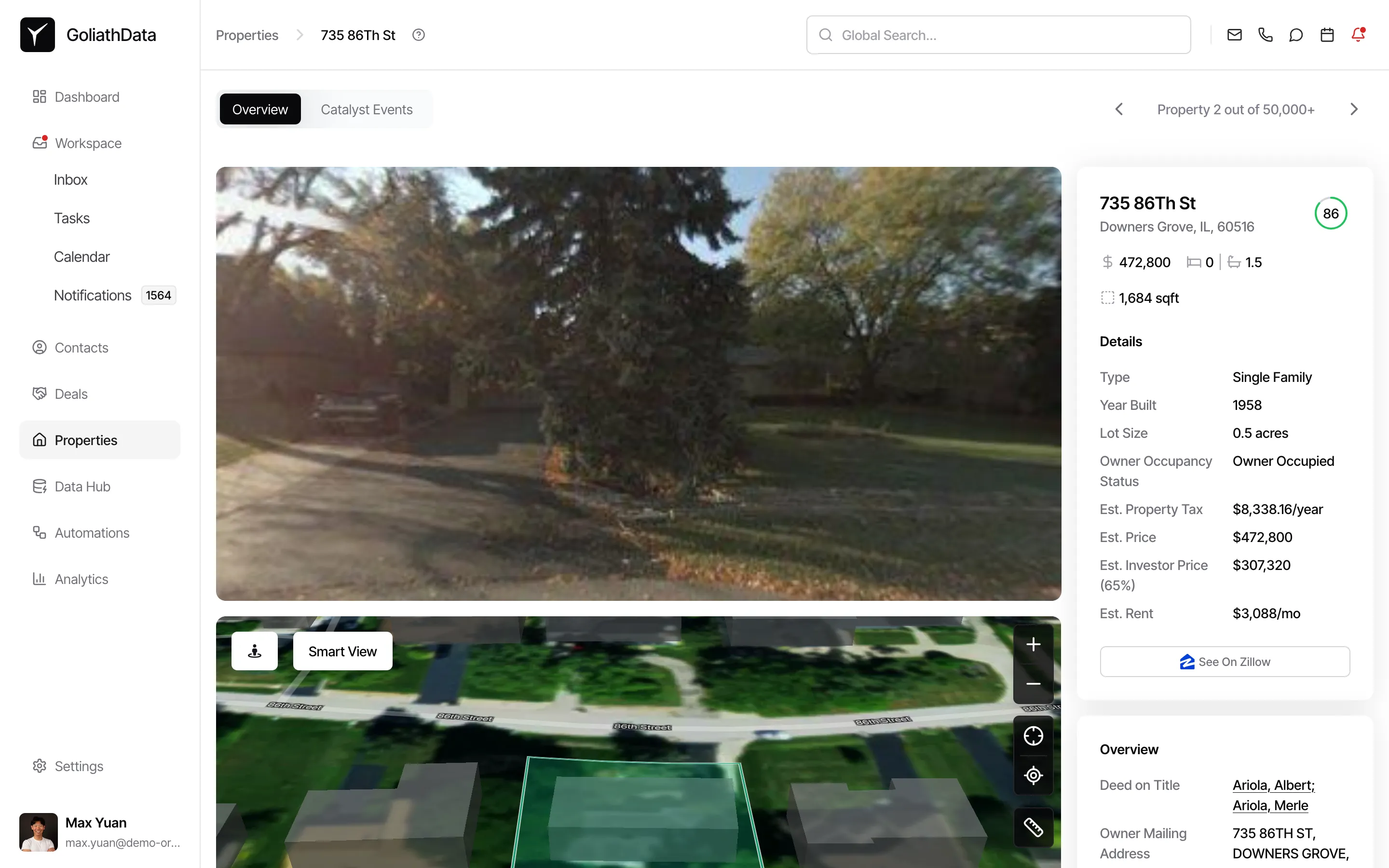
The property detail page has two tabs at the top: Overview and Catalyst Events. The Overview tab is selected by default and shows photos, valuation data, and ownership information.
-
Click the Catalyst Events tab
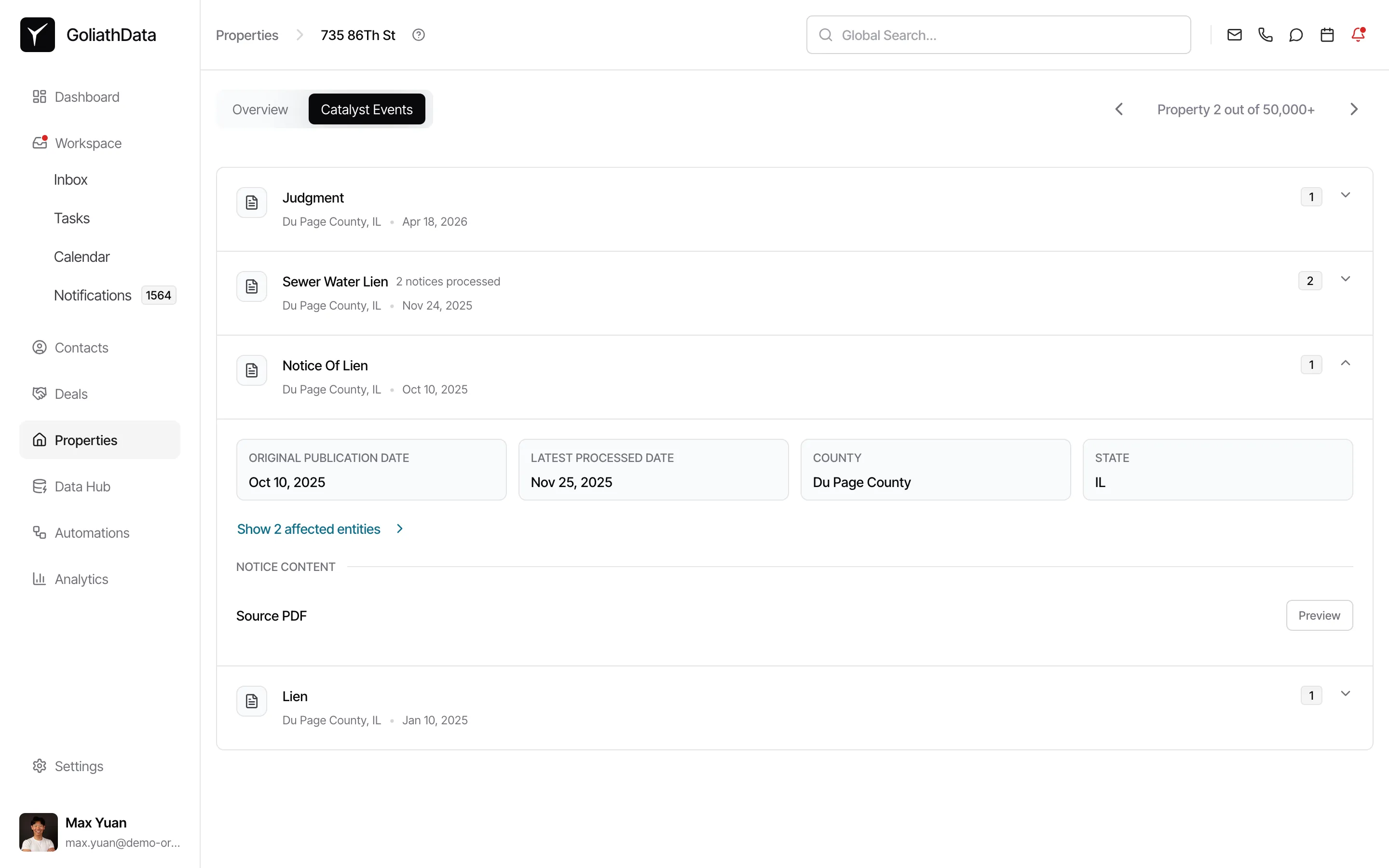
Click Catalyst Events to see a chronological list of all events detected for this property. Each row shows the event type (e.g., Judgment, Sewer Water Lien, Notice Of Lien), the county and date it was filed, and a count of notices processed. Click any row to expand it and see the original publication date, latest processed date, county, state, and a link to affected entities.
-
Preview the source document
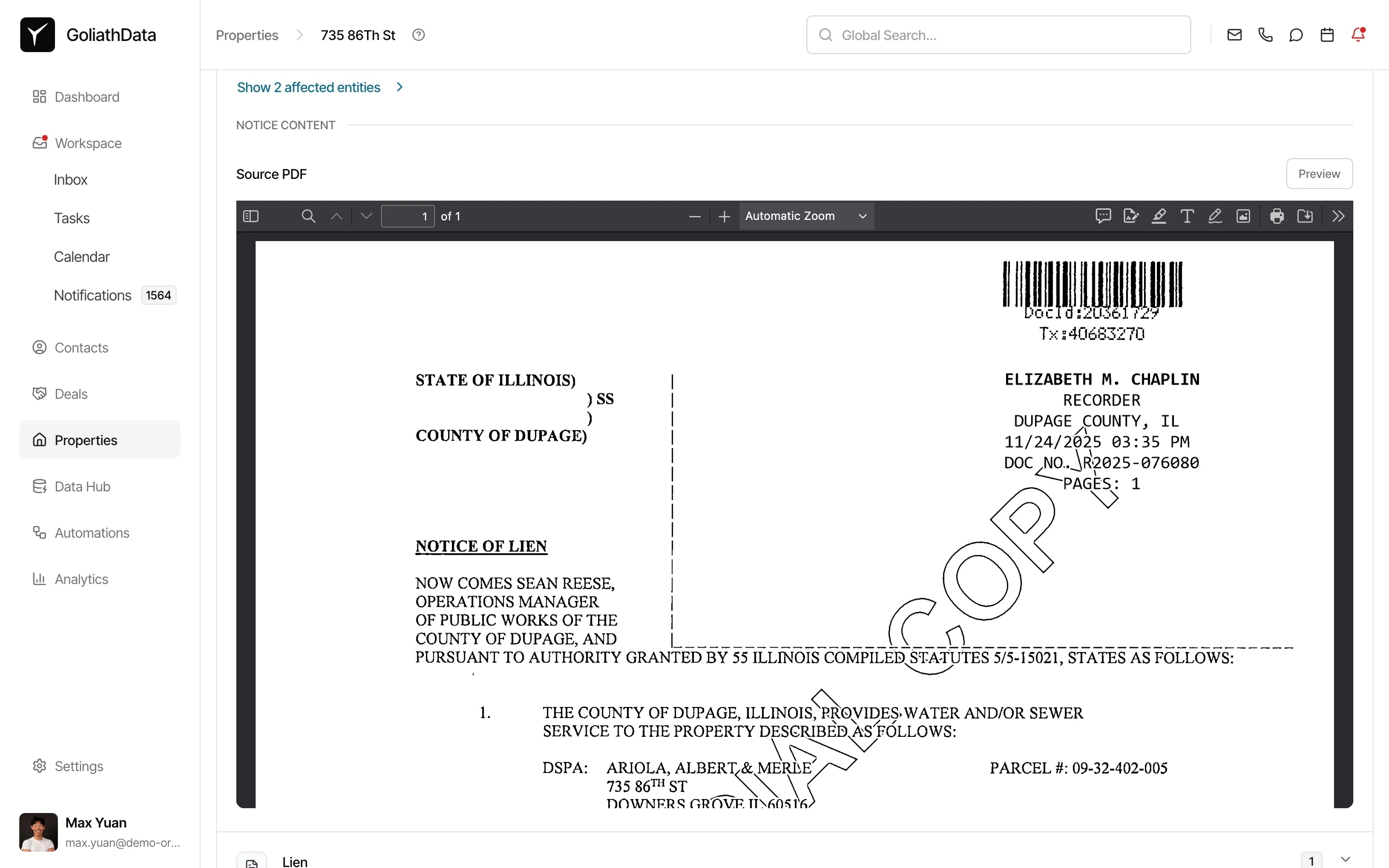
Expanded event rows include a Source PDF section with a Preview button. Click Preview to view the raw government filing inline—the original recorded document exactly as it appears in the county or state record.
-
Understand event refresh cadence
Catalyst Events refresh automatically as Goliath ingests new data via your active pipelines. You do not need to manually re-run or refresh anything. Refresh cadence depends on the source: some pipelines run in real time, others update daily or weekly.
Frequently Asked Questions
Section titled “Frequently Asked Questions”Q: Why is my Catalyst Events tab empty?
Section titled “Q: Why is my Catalyst Events tab empty?”Your organization has not yet requested a Custom Data Pipeline covering any event type for this property. Request a pipeline from Custom Data Pipelines and describe the source you want Goliath to monitor.
Q: Why do I only see some event types but not others?
Section titled “Q: Why do I only see some event types but not others?”Your organization has active Custom Data Pipelines for the event types you see. Additional event types require additional pipeline requests. For example, if you see Judgment but not Trustee Sale, you have a judgment pipeline active but have not requested a trustee-sale pipeline.
Q: How do I get catalyst events for a specific county or data source?
Section titled “Q: How do I get catalyst events for a specific county or data source?”Request a Custom Data Pipeline from Custom Data Pipelines and provide the name and URL of the source you want Goliath to monitor (e.g., a county foreclosure docket, a city lien portal, or a state probate feed). Goliath operations will build and activate the scraper, after which events from that source will appear automatically on matching properties.
Q: Can I receive notifications when a new event is detected?
Section titled “Q: Can I receive notifications when a new event is detected?”Yes. Once a Custom Data Pipeline is active, you can configure outbound webhooks to send real-time notifications to Slack, your CRM, or another external system whenever Goliath detects a new catalyst event on a property. See Custom Data Pipelines for webhook setup instructions.