
How Do I Enrich Contacts?
Contact enrichment (skip tracing) appends phone numbers and email addresses to your leads by matching their name and property address against county records, Goliath data pipelines, and third-party providers. You can enrich a single contact from the detail page or run bulk enrichment on any number of selected contacts from the list. Enrichment costs 1 credit per contact and is especially useful when preparing a freshly uploaded list for outreach or refreshing stale contact data.
Enrich a Single Contact
Section titled “Enrich a Single Contact”-
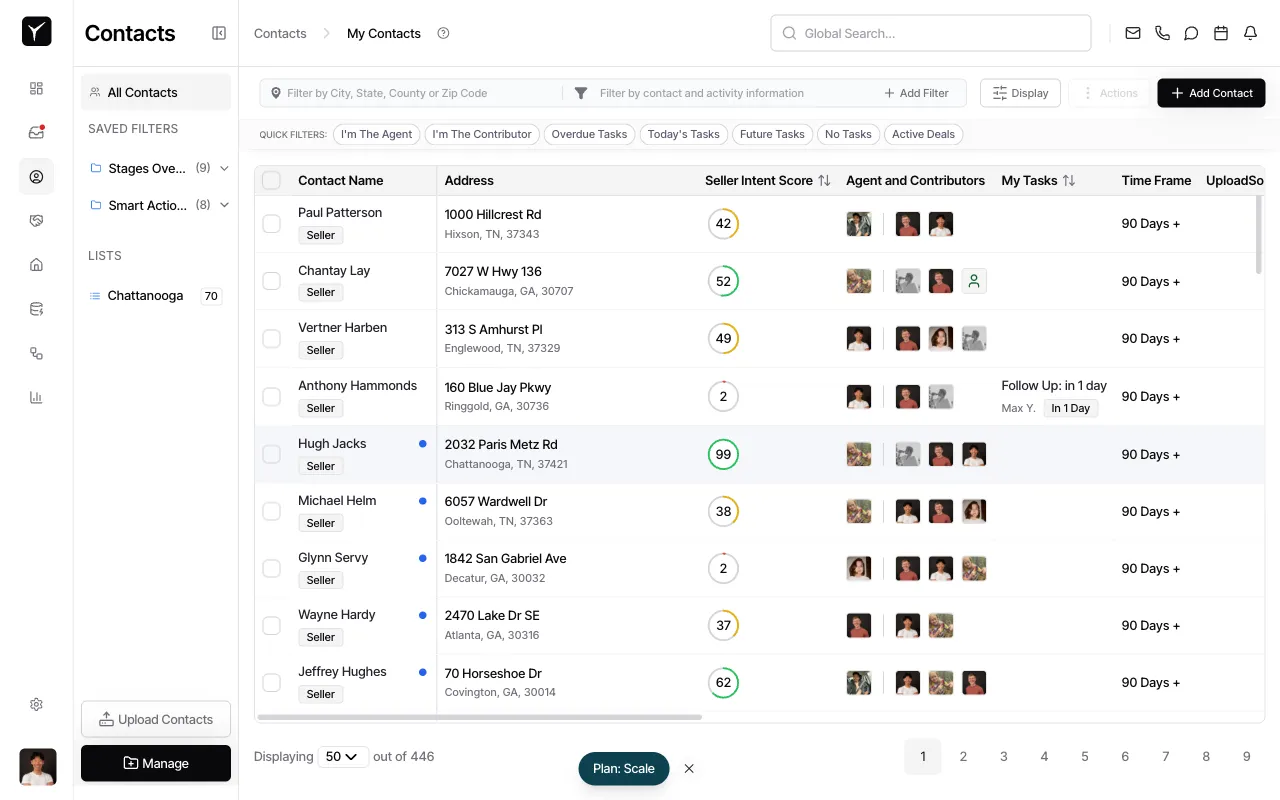
Open the contact detail page
Click on any contact name in your contacts list to open the detail panel.
-
Access the enrichment menu
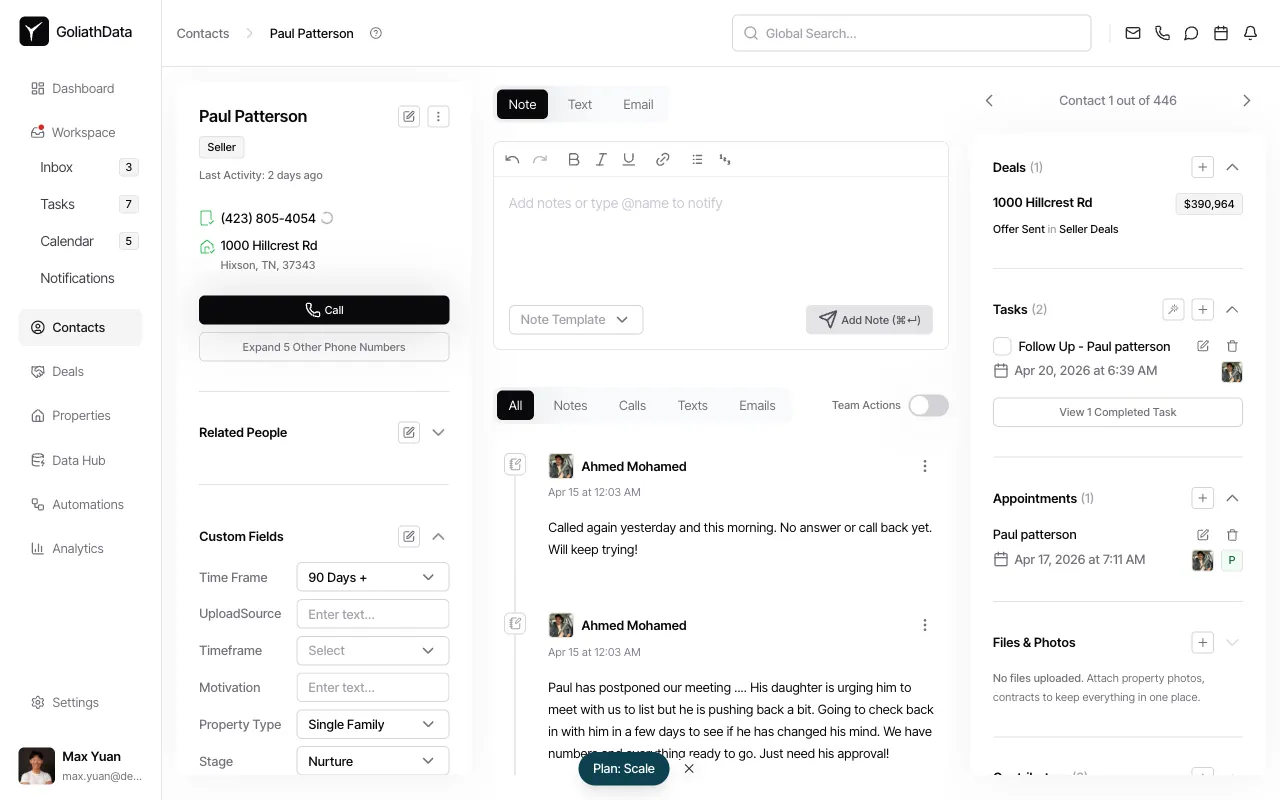
Click the three-dot menu icon to the right of the contact name at the top of the detail page.
-
Select Enrich
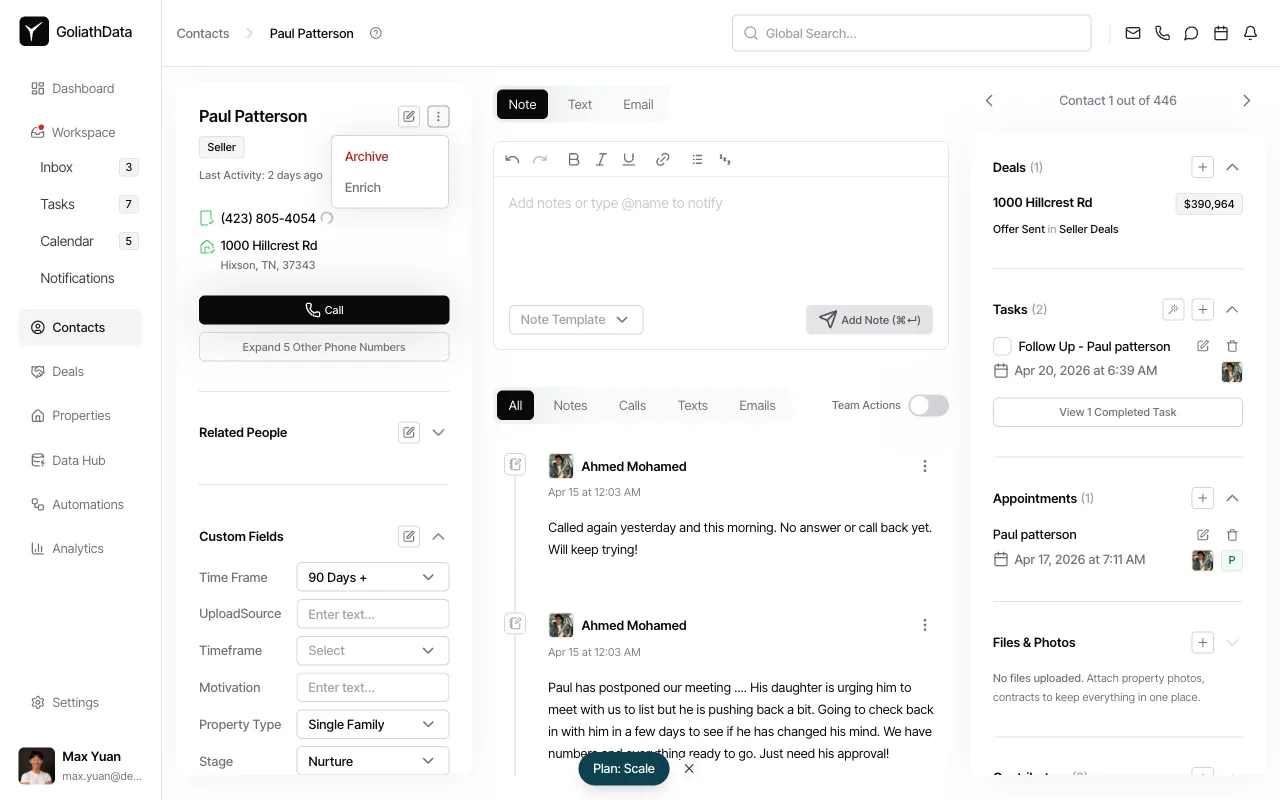
Choose Enrich from the dropdown menu.
-
Return to contacts list
The enrichment will run immediately. Enriched phone numbers and email addresses will populate in the contact detail panel within moments.
Bulk Enrich Multiple Contacts
Section titled “Bulk Enrich Multiple Contacts”-
Select contacts from the list
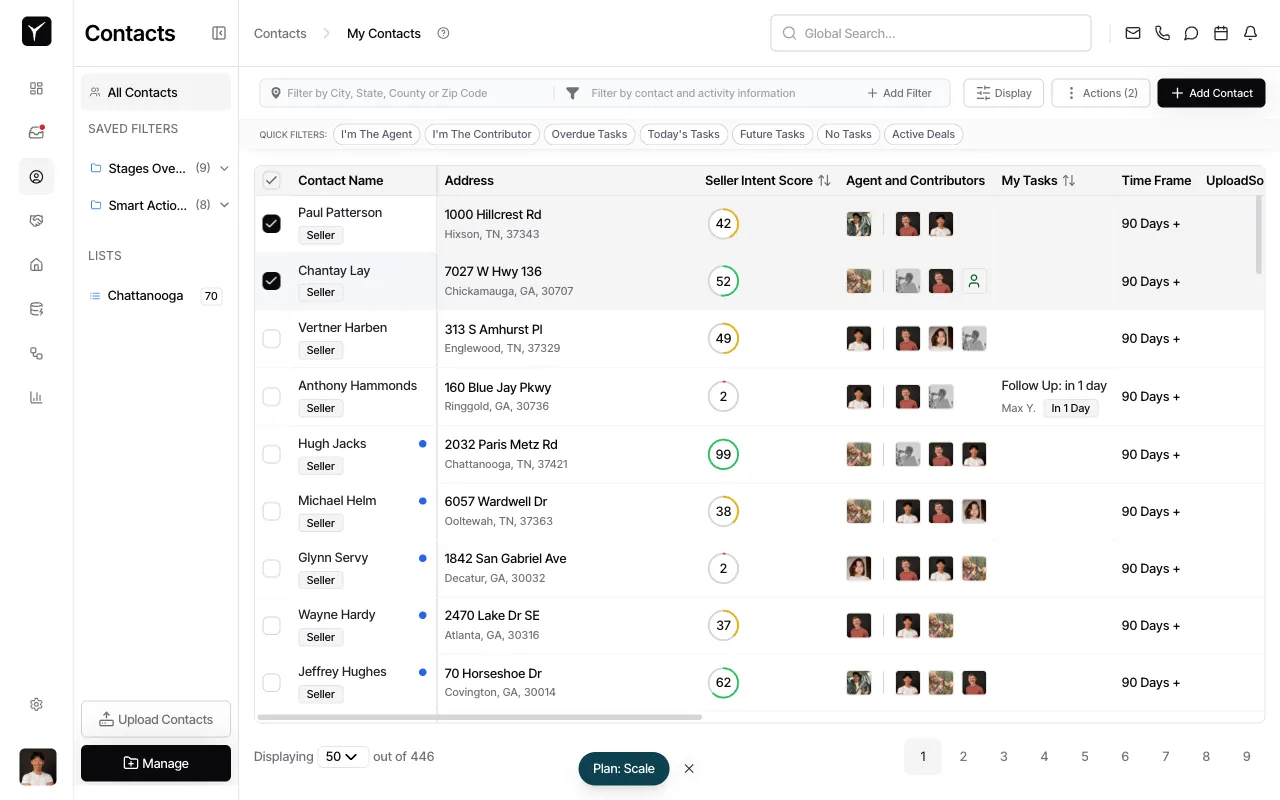
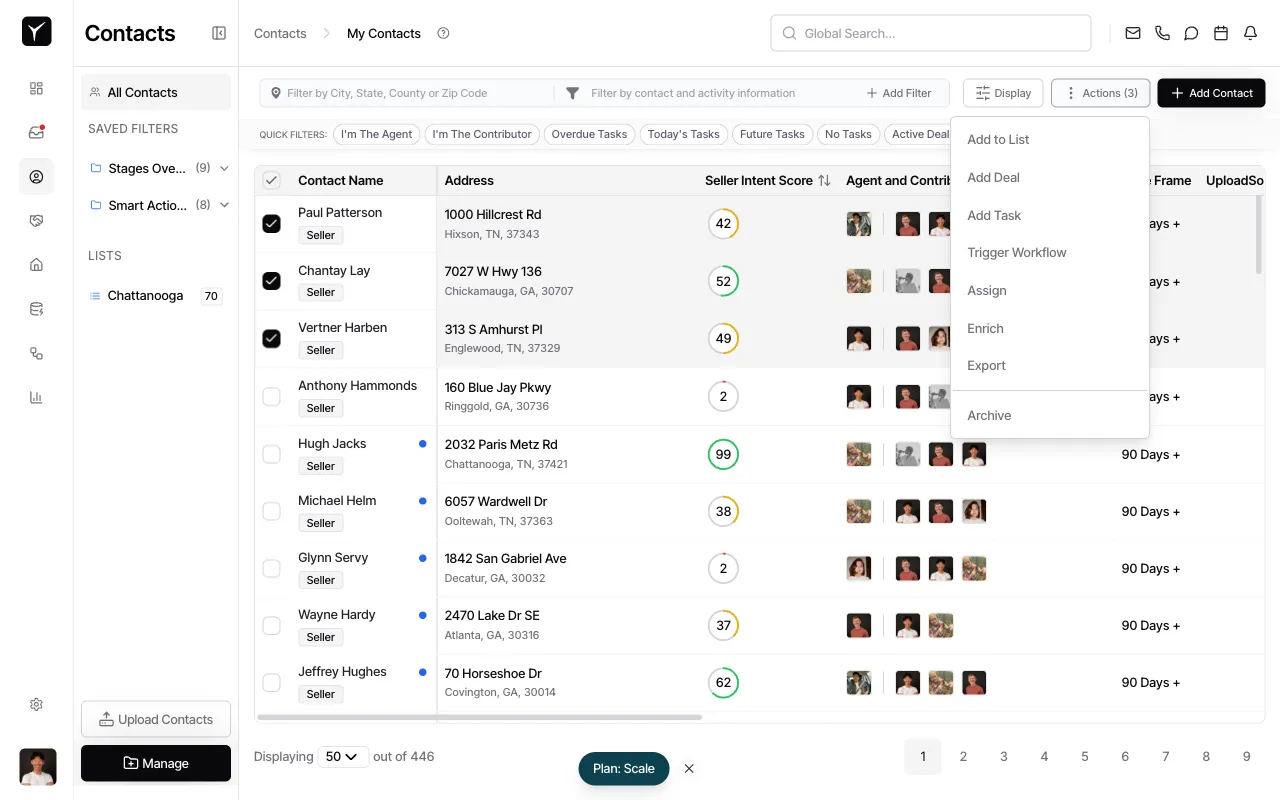
Use the checkboxes in the leftmost column to select one or more contacts. You can also click the Toggle selection menu checkbox in the header to select all contacts on the current page, or use the selection menu to select the first N matching a filter. Use filters or saved views to narrow the list before selecting. The header will update to show the total number of selected contacts.
-
Open Actions and choose “Enrich”
Click the Actions dropdown in the toolbar above the contacts table. Select Enrich from the actions menu.
-
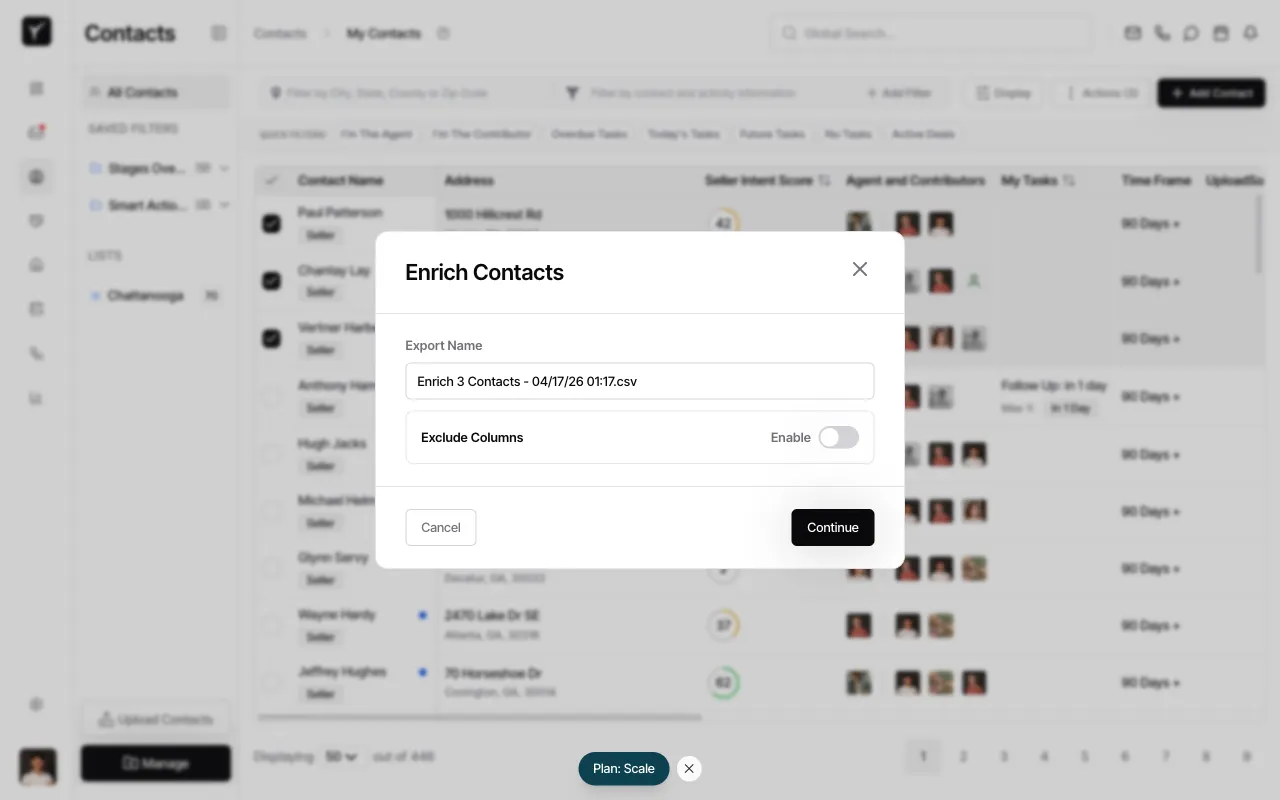
Review and confirm billing
A confirmation dialog will appear showing the total number of contacts and the credit cost (1 credit per contact). Click Continue to confirm and start the enrichment run.
What Happens After Enrichment?
Section titled “What Happens After Enrichment?”Enriched phone numbers and email addresses are appended to the contact record — original data is never overwritten. Typical results include:
- 1–3 phone numbers per contact, with indicators for mobile vs landline
- 1–3 email addresses per contact, with deliverability scores
For single-contact enrichment, results populate immediately in the contact detail panel. For bulk enrichment, results appear after the background job completes (you’ll receive a notification).
Frequently Asked Questions
Section titled “Frequently Asked Questions”Q: Do failed matches consume credits?
Section titled “Q: Do failed matches consume credits?”Typically no. Goliath only charges credits for successfully enriched contacts. If no data is found, the contact is skipped and no credit is deducted.
Q: Can I re-enrich a contact?
Section titled “Q: Can I re-enrich a contact?”Yes. Re-enriching is useful when contact data has gone stale (e.g., phone numbers disconnected or email addresses bouncing). The UI may warn you if a contact was recently enriched to avoid duplicate charges.
Q: Where do I see the enriched results?
Section titled “Q: Where do I see the enriched results?”Open the contact detail panel. Newly appended phone numbers and email addresses will appear in the contact’s phone and email fields. For bulk runs, results populate after the background job completes.
Q: How is this different from property skip tracing?
Section titled “Q: How is this different from property skip tracing?”Contact enrichment finds contact information for people (sellers, buyers, agents) by name and address. Property skip tracing finds owner contact information for a property record. See the Skip Tracing article for property-level enrichment.
Q: Can I export enriched contacts for Meta ads or a dialer?
Section titled “Q: Can I export enriched contacts for Meta ads or a dialer?”Yes. Use the Export action from the contacts list to download enriched data in formats compatible with Meta Customer Lists, multiline dialers, and CRMs. See the Exporting Data article for details.