
How Do I Connect My Outlook?
Connecting your Outlook account enables Goliath to send emails from your real Outlook address, sync inbound replies to contact timelines, and bidirectionally sync calendar events with Outlook Calendar. Each team member connects their own Microsoft 365 or Outlook.com account—this is a per-user integration, not an organization-wide setting.
Step-by-Step Guide
Section titled “Step-by-Step Guide”-
Navigate to the Integrations page
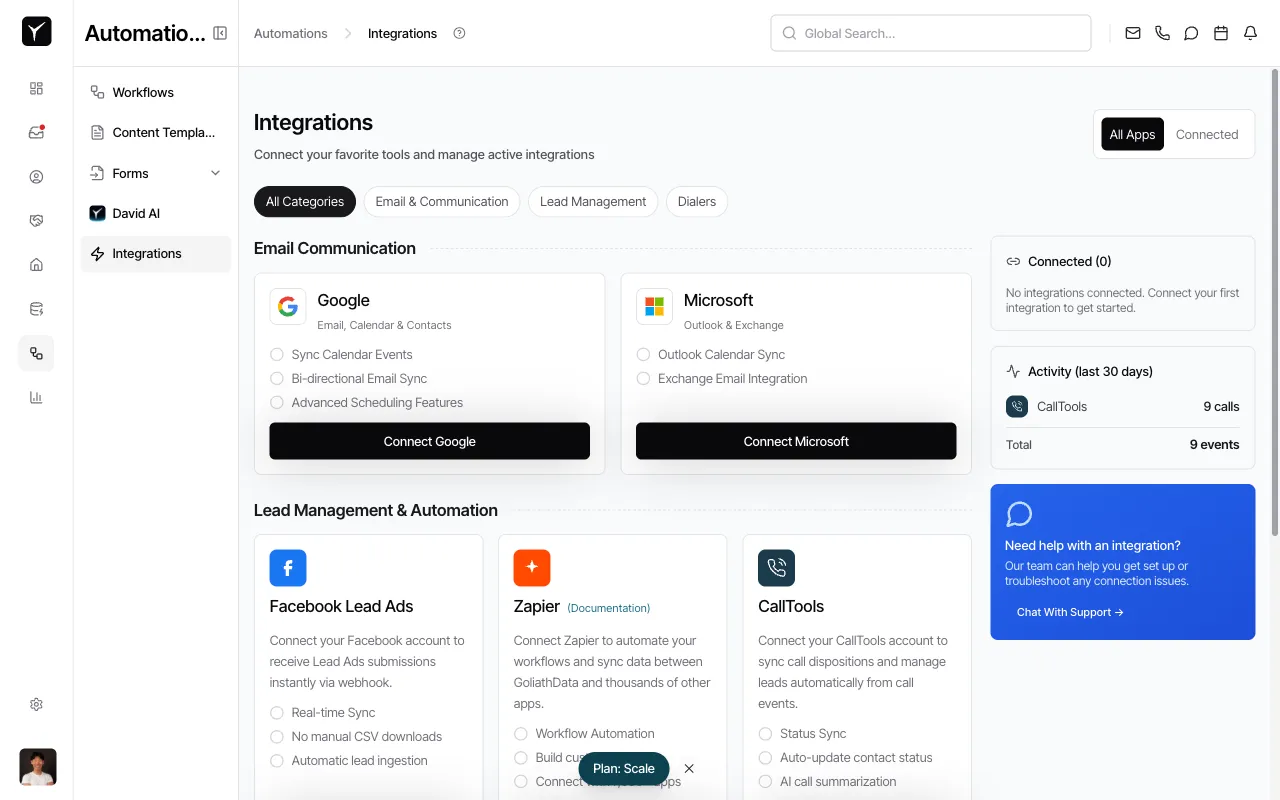
From the left sidebar, click Integrations. The Integrations page displays available connection options organized by category.
-
Locate the Microsoft card and connect
Under the Email Communication section, find the Microsoft card and click Connect Microsoft. Goliath opens a Microsoft OAuth sign-in window where you’ll authenticate with your Microsoft 365 or Outlook.com account and grant Goliath permission to read/send mail and read/write calendar events.
-
Authorize Goliath in the OAuth flow
Sign in with your Microsoft credentials. Review the requested permissions (mailbox access, calendar access) and click Accept or Allow. Once authorized, the window closes and you’re returned to Goliath.
-
Verify the connection
The Microsoft card updates to reflect the connected state. Goliath immediately begins backfilling historical email threads with known contacts and syncing your calendar events.
Frequently Asked Questions
Section titled “Frequently Asked Questions”Q: Can I connect both Gmail and Outlook?
Section titled “Q: Can I connect both Gmail and Outlook?”No. Each user can connect one email provider at a time. Choose either Google or Microsoft based on which mailbox you use for outreach.
Q: Does this integration work with Exchange on-premises?
Section titled “Q: Does this integration work with Exchange on-premises?”It depends on your deployment. Managed Exchange servers with OAuth support typically work; older on-premises setups without modern authentication may not. Check with your IT team if you’re unsure.
Q: Will Goliath interfere with my existing Outlook rules?
Section titled “Q: Will Goliath interfere with my existing Outlook rules?”No. Goliath uses its own sync path and does not modify your mailbox rules. Any server-side rules you’ve configured in Outlook continue to fire normally.
Q: How do I disconnect my Outlook account?
Section titled “Q: How do I disconnect my Outlook account?”You can revoke access from Microsoft’s side at account.microsoft.com → Privacy → Connected apps, or disconnect directly from the Integrations page in Goliath. For detailed steps, see How Do I Disconnect an Integration.